To find X% of a number, divide X by 100 and multiply by the number: 15% of 80 is 0.15 × 80 = 12. Most other percentage questions are the same idea turned around, and the free percentage calculator below handles six of them, from percentage change to working back to a price before tax.
Every answer comes with the formula and each step of the working, so you can check it, copy the method into a spreadsheet or explain it to a client. It runs in your browser and nothing you type is stored.
Percent-Of, Percentage Change and Removing Added Tax
- X% of Y = X ÷ 100 × Y. X as a percent of Y = X ÷ Y × 100.
- Percentage change = (new − old) ÷ old × 100. Always divide by the starting value.
- To remove a percentage that was added, divide: a price of 1,180 including 18% tax was 1,180 ÷ 1.18 = 1,000 before tax, not 1,180 minus 18%.
- A rate moving from 4% to 5% has risen by 1 percentage point, which is a 25% increase in the rate.
- A 50% fall after a 50% rise leaves you 25% below where you started.
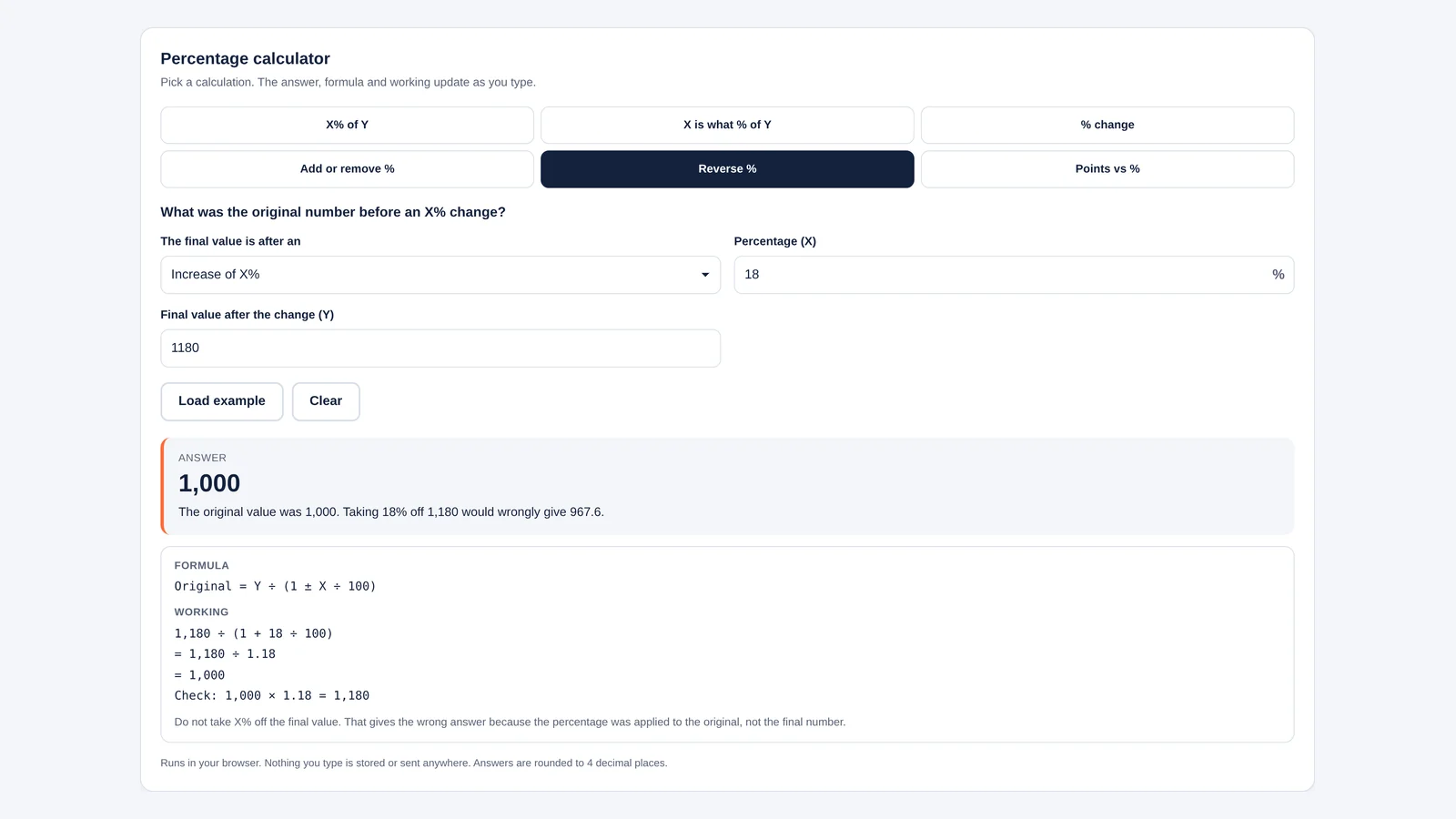
Percentage calculator
Pick a calculation. The answer, formula and working update as you type.
Answer
–
Enter both numbers to see the answer.
Formula
Working
- –
Runs in your browser. Nothing you type is stored or sent anywhere. Answers are rounded to 4 decimal places.
How to Use the Percentage Calculator
Pick the question you are asking from the six buttons, type the two numbers and read the answer. You can type commas (1,200) and a percent sign, and negative numbers work too. Load example fills in a typical case for the selected mode, which is a quick way to see how each one reads. The answer box, formula and working update as you type.
| Mode | The question it answers | Formula |
|---|---|---|
| X% of Y | What is 15% of 80? | X ÷ 100 × Y |
| X is what % of Y | 12 is what percent of 80? | X ÷ Y × 100 |
| % change | What is the change from 80 to 120? | (Y − X) ÷ |X| × 100 |
| Add or remove % | What is 80 plus 15%? Or minus 15%? | Y × (1 ± X ÷ 100) |
| Reverse % | What was the price before 18% tax was added? | Y ÷ (1 ± X ÷ 100) |
| Points vs % | How big is a move from 4% to 5%? | Points = Y − X; percent = (Y − X) ÷ X × 100 |
Worked Examples for Everyday Business Maths
A Discount on a Price
A $80 jacket is 15% off. Using Add or remove % with Decrease: 80 × (1 − 0.15) = 80 × 0.85 = $68. The discount itself is 15% of 80 = $12.
Adding and Removing GST in India
An Indian freelancer bills ₹2,500 for a service taxed at an 18% GST rate. The invoice total is 2,500 × 1.18 = ₹2,950. The reverse question comes up just as often: a supplier quotes ₹1,180 including 18% GST, so what is the base price? Reverse % with Increase gives 1,180 ÷ 1.18 = ₹1,000, and the tax is ₹180.
The common mistake is taking 18% off ₹1,180, which gives ₹967.60. That is wrong because the 18% was charged on ₹1,000, not on ₹1,180. The calculator shows this wrong figure next to the right one so you can spot it in other people’s sums. The same logic applies to US sales tax, UK VAT or any tip or service charge already included in a total. Our invoice generator does the tax line for you when you build the bill.
Growth From One Month to the Next
Monthly sales rise from 80 orders to 120. The change is (120 − 80) ÷ 80 × 100 = +50%. If they then fall from 120 back to 80, the change is (80 − 120) ÷ 120 × 100 = −33.33%. Same gap, different percentage, because the starting value changed.
What Share of the Total
A shop made 12 of its 80 sales online. 12 ÷ 80 × 100 = 15%. If the part is bigger than the whole, say 150 against a target of 120, the answer is 125%, which is how sales teams describe beating a target.
Percentage Points vs Percent
When something that is already a percentage changes, there are two honest ways to describe the move, and they give very different numbers. Say a loan rate falls from 6.5% to 5.25%.
- In percentage points: 5.25 − 6.5 = −1.25 points. This is the plain gap between the two rates.
- In percent: (5.25 − 6.5) ÷ 6.5 × 100 = −19.23%. This is how much the rate itself shrank, relative to where it was.
Headlines mix these up all the time. “Interest rates fell 1.25%” usually means 1.25 percentage points, and the relative fall is much bigger. Central banks, lenders and economists speak in points (or basis points, where 100 basis points equal 1 percentage point) to avoid that confusion. For what a rate change does to a monthly repayment, see our guide on how to calculate EMI, and for why a flat rate and a reducing rate that look alike are not, read flat rate to reducing rate.
Why Percentage Changes Do Not Cancel Out
Each percentage is worked out on a different base, so ups and downs of the same size do not cancel.
| Step | Calculation | Value |
|---|---|---|
| Start | Not applicable | 100 |
| Rise 50% | 100 × 1.5 | 150 |
| Fall 50% | 150 × 0.5 | 75 |
| Net change | (75 − 100) ÷ 100 × 100 | −25% |
This matters for shares, prices and margins. A stock that drops 50% needs to double, a 100% gain, just to get back to where it was. If you are averaging into a position at different prices, our guide on how to calculate average stock price walks through the arithmetic.
Tips for Getting Percentages Right
- Name your base: before calculating, say out loud “percent of what”. Most errors come from dividing by the wrong number.
- Markup is not margin: adding 25% to a cost of 100 gives a price of 125, but the margin on that price is 25 ÷ 125 = 20%. Use X is what % of Y with the profit and the selling price to find margin. The break-even calculator uses margins the same way.
- Use multipliers for chains: two successive 10% increases are 1.1 × 1.1 = 1.21, a 21% total rise, not 20%.
- Do not average percentages blindly: 10% growth on a small product and 2% on a big one does not average to 6% across the business. Work it out from the totals.
- Percentage change from zero is undefined: going from 0 to 10 customers is an increase of 10, not a percentage. The calculator says so rather than showing infinity.
The calculator rounds answers to four decimal places and shows ≈ instead of = when it has rounded. For more free business calculators, see the Bizolaunch tools page.
Original Prices, Percentage Points and Going Over 100%
How Do I Calculate a Percentage of a Number?
Divide the percentage by 100 and multiply by the number. 20% of 350 is 0.2 × 350 = 70. A quick mental shortcut: 10% is the number divided by 10, so 20% is double that.
How Do I Work Out Percentage Increase?
Subtract the old value from the new one, divide by the old value and multiply by 100. From 200 to 250 is (250 − 200) ÷ 200 × 100 = 25%. A negative result is a decrease.
How Do I Find the Original Price Before a Percentage Was Added?
Divide the final price by 1 plus the rate as a decimal. A price of 590 including 18% tax was 590 ÷ 1.18 = 500 before tax. For a discount, divide by 1 minus the rate: 80 after 20% off was 80 ÷ 0.8 = 100.
What Is the Difference Between Percent and Percentage Points?
Percentage points measure the simple gap between two percentages. Percent measures the relative change. Going from 10% to 12% is 2 percentage points, or a 20% increase.
Can a Percentage Be More Than 100?
Yes. A part can be bigger than the reference value, as when sales hit 125% of target, and growth can exceed 100%, as when revenue triples (a 200% increase). A decrease, though, cannot be more than 100% of a positive amount.