


A remote employee onboarding checklist has one job: make sure a new hire who never walks into your office still feels expected, equipped and useful by the end of the first week. That means the laptop arrives before day one, every login works at 9 a.m., a real person greets them on video, and they finish the week with a clear first task.
Most companies are not good at this, even in the office. Gallup found that only 12% of employees strongly agree their organization does a great job of onboarding new employees. Remote work makes the gaps worse, because nobody notices the new hire sitting alone with a broken password. So we split the checklist into six stages, with an owner for each task, so nothing depends on memory.
Before You Start: Name the Owners
Every remote onboarding task needs one named owner. Without one, each person assumes someone else sent the laptop. Agree on these four roles before the offer is signed:
| Role | Who it usually is | What they own |
|---|---|---|
| Hiring manager | The new hire’s direct manager | Goals, first projects, weekly check-ins |
| HR or people lead | HR, office manager or founder in a small team | Contracts, payroll, benefits, legal checks |
| IT owner | IT team, or whoever manages accounts | Laptop, accounts, security, access |
| Onboarding buddy | A peer on the same or a nearby team | Informal questions, introductions, team habits |
In a five-person startup, one person may hold three of these roles. That is fine. What matters is that every line on the checklist has a name next to it.
Stage 1: After the Offer Is Signed
Start the day the offer comes back signed. The new hire is excited, and this is the easiest time to collect paperwork.
- Send a welcome email from the hiring manager within 24 hours.
- Send the employment contract, policies and handbook for e-signature.
- Collect tax forms and bank details for payroll.
- Collect emergency contact details.
- Ask for their shipping address, shirt size and any equipment needs, such as a second monitor or an accessible keyboard.
- Confirm the start date, start time and time zone in writing.
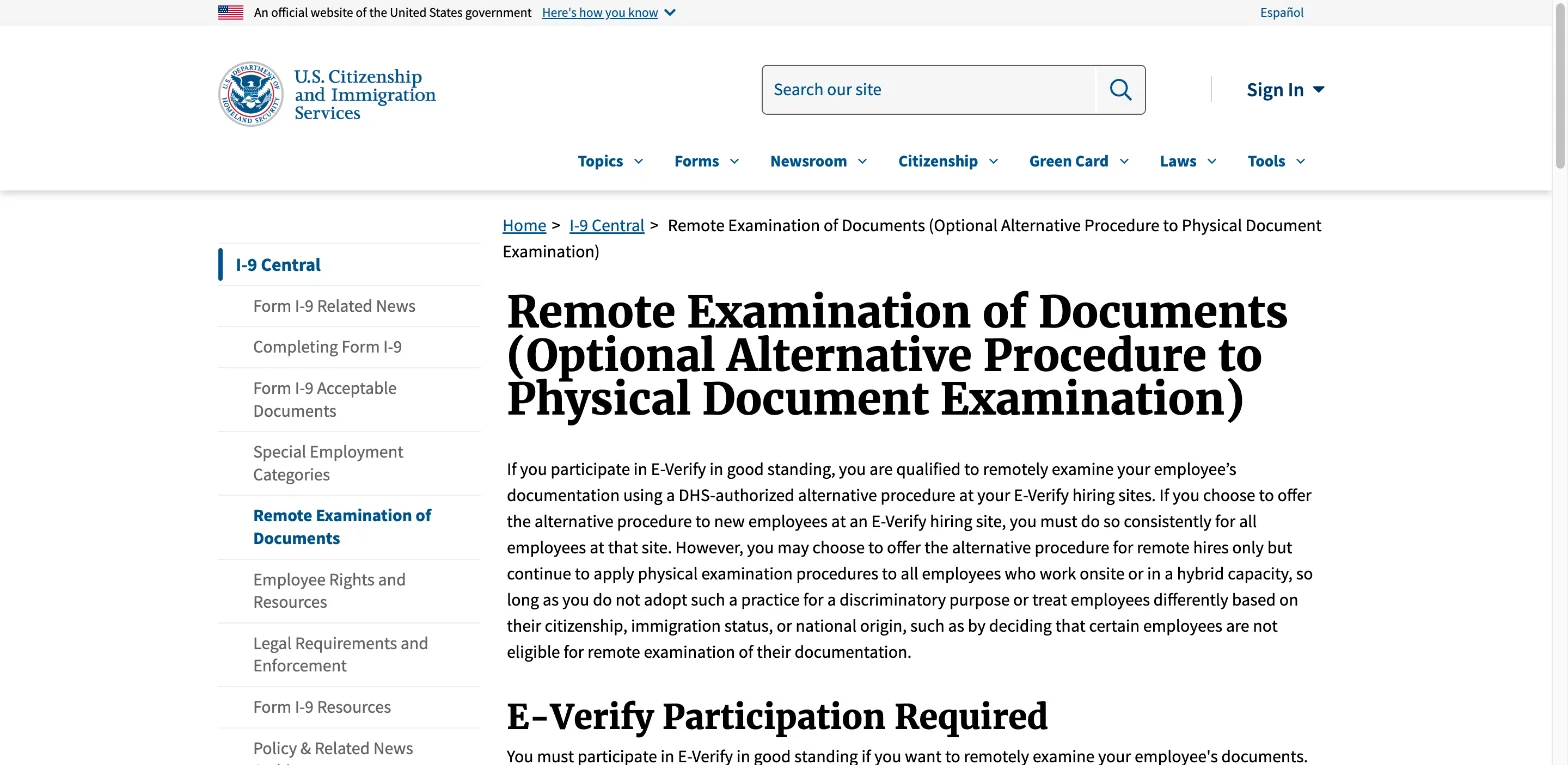
US employers: plan the Form I-9 check. Every new hire in the US must complete Form I-9 to prove they can work. For remote hires, employers that use E-Verify and are in good standing can use a DHS-authorized alternative procedure. The employee sends copies of the documents, then shows the same documents on a live video call. The employer keeps a clear copy of each document, front and back, and ticks the alternative procedure box in Section 2 of Form I-9. Employers outside E-Verify still need someone to examine the documents physically, for example an authorized representative near the new hire.
Stage 2: One Week Before Day One
This stage decides whether day one feels smooth or chaotic. Most problems on a remote first day trace back to something nobody did this week.
- Ship the laptop and equipment so it arrives at least two working days early. Track the parcel.
- Create accounts: email, chat, calendar, password manager, project tool and any role-specific apps.
- Set up security: turn on multi-factor authentication and device encryption, and install required software before shipping if possible.
- Send a day-one schedule with times in the new hire’s time zone and a link for each call.
- Assign the onboarding buddy and tell the new hire who it is.
- Add the new hire to the team calendar, recurring meetings and the right chat channels.
- Prepare a first small task they can finish in the first week.
- Announce the new hire to the team with a short bio and a photo they approve.
Send login details through a secure route, such as a password manager invite, rather than in plain email. Then do a two-minute test login together on the last working day before the start, so any problem gets fixed before Monday.

Stage 3: Day One
On a remote first day, the calendar is the office. Give it shape, but don’t fill all eight hours with calls. People need time to set up and absorb.
| Time | What happens | Owner |
|---|---|---|
| 9:00 | Welcome call: introductions, agenda for the day, questions | Hiring manager |
| 9:30 | IT setup call: logins, multi-factor sign-in, tools tour | IT owner |
| 10:30 | Self-paced: read the handbook and team pages | New hire |
| 12:00 | Virtual lunch or coffee with the buddy | Buddy |
| 13:30 | Team call or short welcome in the team’s usual meeting | Team |
| 14:30 | Self-paced: set up profiles, explore the project tool | New hire |
| 16:30 | End-of-day check-in: what worked, what’s blocked | Hiring manager |
Adjust the times to the new hire’s time zone. If the team spreads across many time zones, record the welcome messages so the new hire can watch them later.
Day one checklist:
- Welcome call held on video with camera on.
- Every account works, including multi-factor sign-in.
- New hire knows where to ask questions and who the buddy is.
- New hire has the first week’s schedule.
- End-of-day check-in held.
Stage 4: The First Week
The first week turns a new hire from guest into team member. Aim for one finished task by Friday, even a small one.
- Daily 15-minute check-in with the manager.
- One-to-one intro calls with 4 to 8 people they will work with most.
- Walk through how the team works: where decisions get written down, which channel is for what, how fast people expect replies.
- Give context documents: the company plan, the team’s current goals, recent project notes.
- Finish the first small task and get it reviewed.
- Friday reflection: a short call about what was clear, what was confusing and what is missing.
Written context matters more for remote staff than for office staff. In an office, people overhear how things work. Remotely, they only know what someone wrote down. If your team’s notes live in scattered places, our guide to note-taking apps for teams helps you pick one home for them.
Stage 5: The 30-60-90 Day Plan
Agree on a written 30-60-90 day plan in the first week. It gives the new hire clear goals and gives the manager a fair way to judge progress.
| Period | Focus | Example goals for a marketing hire |
|---|---|---|
| Days 1 to 30 | Learn | Know the products, customers and tools; ship two small pieces of work |
| Days 31 to 60 | Contribute | Own one channel or project; deliver work with less review |
| Days 61 to 90 | Own | Run their area with light oversight; suggest one improvement |
Then meet weekly. Keep each one-to-one to 30 minutes, and let the new hire bring the agenda. At day 30, 60 and 90, review the plan together and adjust it.
Stage 6: Check In After 90 Days
Onboarding doesn’t end with the first project. Close it properly:
- Hold a 90-day review against the plan.
- Ask the new hire for honest feedback on the onboarding itself.
- Update the checklist with anything that went wrong.
- Move from daily or weekly check-ins to the normal team rhythm.
- Thank the buddy.
The feedback step is the one most teams skip. Yet the new hire is the only person who has just lived through your process, so their notes make the next onboarding better.
The Complete Remote Employee Onboarding Checklist
Copy this into your project tool and assign each line:
After the offer is signed
- Welcome email sent
- Contract and policies signed
- Tax, payroll and emergency contact details collected
- Form I-9 or local right-to-work check planned
- Equipment needs and shipping address confirmed
One week before
- Laptop and equipment shipped and tracked
- All accounts created with multi-factor sign-in
- Day-one schedule sent with call links
- Buddy assigned and introduced
- Calendar invites and channels added
- First small task prepared
- Team announcement sent
- Test login done
Day one
- Welcome call held
- IT setup finished
- Buddy lunch or coffee held
- End-of-day check-in held
First week
- Daily check-ins held
- Intro calls booked with key colleagues
- Team working norms explained
- First task finished and reviewed
- Friday reflection held
- 30-60-90 day plan agreed
Days 30, 60 and 90
- Progress reviews held
- Onboarding feedback collected
- Checklist updated
Common Remote Onboarding Mistakes
Most remote onboarding problems come from the same few gaps:
- Equipment arrives late, so the first day is spent waiting.
- Too many calls on day one, with no time to set up or think.
- No first task, so the new hire feels busy but not useful.
- Unwritten rules, such as which channel to use or how fast to reply.
- No buddy, so small questions go unasked.
- The manager disappears after week one, because onboarding “is done”.
Fix those six and your remote onboarding will already beat most companies. For managers who run long days of back-to-back calls, our time-blocking guide shows how to protect time for one-to-ones with new hires.