
Is Crisp a good customer support platform? Yes, for small and mid-size teams that want chat, email and social messages in one inbox at a flat price. Crisp charges per workspace, not per agent. So a team of four pays $45 a month on Mini, and a team of ten pays $95 on Essentials. That makes it far easier to budget than tools that bill every seat.
The trade-off sits in the plan tiers. The AI chatbot, WhatsApp and the help center only arrive on Essentials. Ticketing and white labelling need Plus at $295 a month. So the cheap entry price only works if live chat and email are all you need.
To write this Crisp review, we compared every plan on the pricing page and read the product pages for the AI agent and co-browsing. We also went through the pros and cons that 207 users left on G2.

What Crisp Is and Who Makes It
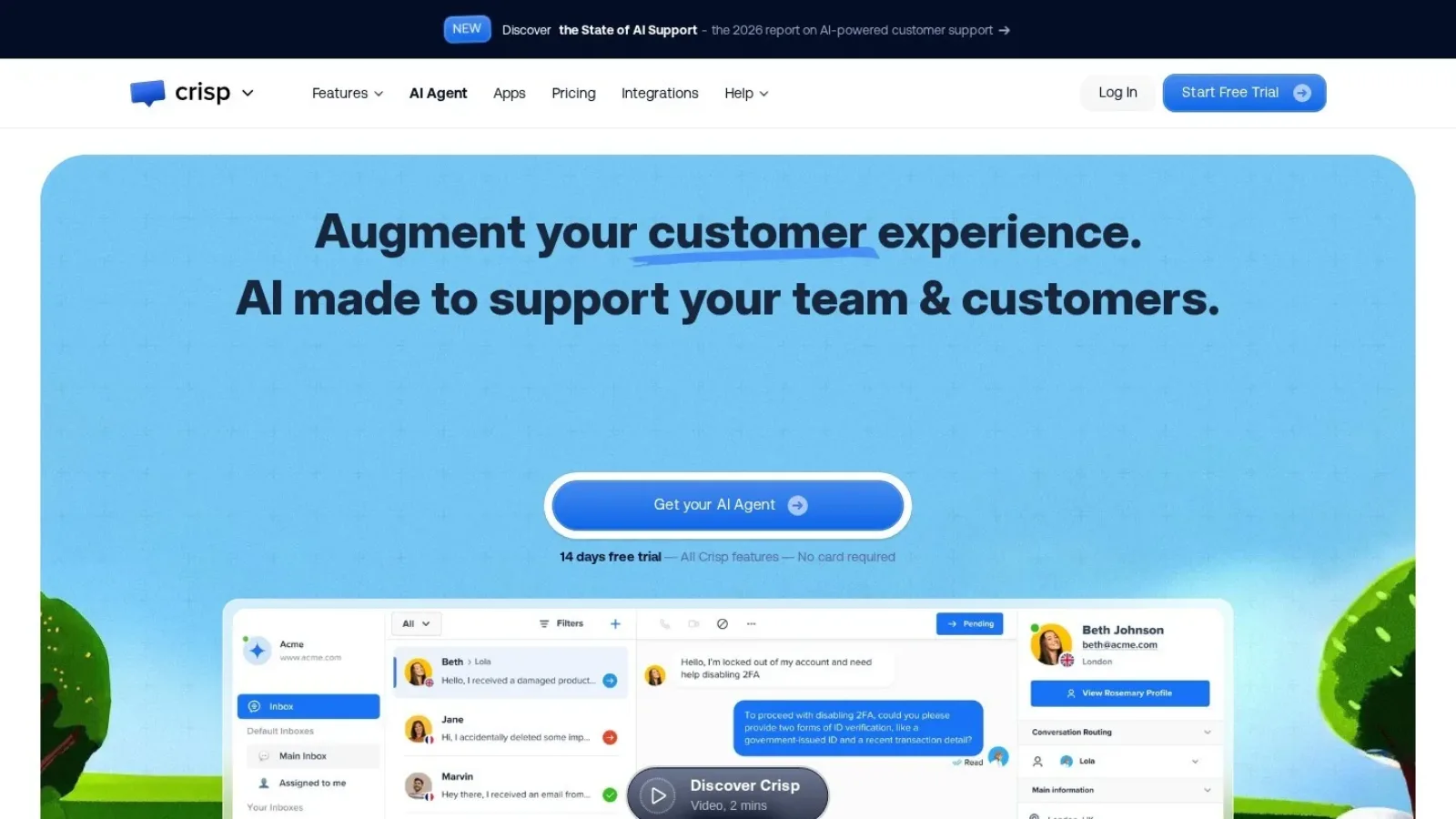
Crisp is a customer messaging platform built in France by Crisp IM SAS. It covers chat, email, social channels, a help center and an AI support agent.
The company says 10,000 companies use it. Also, the free plan and the flat pricing make it easy for small teams to try.
At its core, Crisp does one job well. It pulls every customer message into one shared inbox. Then your team replies from there, whether the message came from the website, email or WhatsApp.
Crisp Features for Support Teams
Crisp has grown into a broad product. Still, a handful of features do most of the work for a support team.
Live chat widget
The chat widget is where most people start. You paste a snippet on your site, and visitors can message you. The widget works on the free plan. It also comes with mobile apps and chat SDKs.
On top of chat, Crisp offers a contact form and push notifications. Also, the free plan connects to Shopify, WooCommerce, PrestaShop and Adobe Commerce. So a small online store can take chats and see orders without paying.
Shared inbox for every channel
The shared inbox collects conversations from the chat widget, email, WhatsApp and Messenger, plus several more channels. On the Essentials plan, the omnichannel inbox adds Instagram DMs, SMS, Line and Viber.
Inside the inbox, agents can leave private notes, use canned replies and search past chats. These tools arrive on Mini. In addition, Mini adds a shared email inbox with your own email domain. As a result, a customer who writes by email and then by chat shows up in one thread.
Hugo, the AI support agent
Crisp’s AI agent is called Hugo. It answers customer questions using what it learns from your website, your PDFs and your help center articles. Crisp says it browses your site automatically to train.
You shape how Hugo behaves with a no-code workflow builder. You can also start from templates. For example, Hugo can answer a refund question, then hand the chat to a person when the customer asks for one.
AI usage runs on credits. Mini includes $5 of AI credits, which Crisp says covers about 90 automated conversations. Essentials includes $25, or about 450, and Plus includes $75, or about 1,350. So a busy store will want to watch its credit use.

Co-browsing with MagicBrowse
Co-browsing is one of Crisp’s more unusual features. With MagicBrowse, an agent can see the customer’s browser tab and guide them. The agent can point, scroll and click for the customer. Neither side needs to install a plugin.
Privacy is handled with care. The agent sees only the tab where the chat widget runs, not the whole computer. Also, you can hide sensitive fields with markup. This helps a lot when a customer is stuck on a checkout or settings page.
Knowledge base and help center
From Essentials up, you can build a help center. You write, edit and organise articles, then style the center to match your brand. Better still, those articles feed Hugo. So each article you write helps both customers who search and the AI agent.
Automation, routing and analytics
Essentials adds routing rules, so chats go to the right person or team. It also adds a workflow builder, customer data management and analytics. Then Plus adds unlimited task automations, a ticketing system, more than 100 integrations and advanced analytics.
Crisp Pricing Plans Explained
Crisp prices each plan per workspace, with a set number of agents included. You can try any paid plan free for 14 days. The pricing page shows monthly prices only.
| Plan | Price per workspace | Agents included | AI credits | Customer profiles |
|---|---|---|---|---|
| Free | $0 a month | 2 | None | 100 |
| Mini | $45 a month | 4 | $5 (about 90 AI chats) | 5,000 |
| Essentials | $95 a month | 10 | $25 (about 450 AI chats) | 50,000 |
| Plus | $295 a month | 20 | $75 (about 1,350 AI chats) | 200,000 |
| Enterprise | Custom | Custom | Custom | Custom |
On Plus, each extra agent costs $10 a month. The page does not list an extra agent price on the lower plans.
What each plan adds
Free covers the chat widget, shared inbox, mobile apps, contact form and store integrations. It works for a solo founder testing chat on a new site.
Mini adds the shared email inbox, canned replies, chat triggers, private notes, a custom email domain and unlimited data retention.
Essentials adds the omnichannel inbox, the AI chatbot, the workflow builder, the knowledge base, routing and analytics. Two sub-inboxes are included.
Plus adds ticketing, unlimited automations, 100+ integrations, five sub-inboxes and white labelling. White labelling removes the “We run on Crisp” watermark.
A quick cost example
Let us compare two teams. A team of 8 agents fits inside Essentials at $95 a month. That works out to under $12 per agent. Meanwhile, a team of 25 on Plus pays $295 plus 5 extra agents at $10 each. So the bill comes to $345 a month, or about $14 per agent.
In both cases, the per-agent cost stays low. That is the main pricing strength of Crisp. If you want to see how seat and flat pricing compare across tools, our guide to SaaS pricing models covers the main types.
Crisp Ratings and User Comments on G2
Crisp holds a 4.5 out of 5 rating on G2 from 207 reviews. We read through the pros and cons themes to see what comes up most.
On the plus side, reviewers most often praise Crisp’s own customer support. Many also call the product easy to learn. Others say the shared inbox helps their team reply faster, and a few call it good value.
On the other hand, the most common complaint is the mobile app. Reviewers say the iPhone and mobile apps lack some web features, such as reply suggestions. Some also mention slow support replies, higher-tier prices and features locked behind upper plans.
Where Crisp Works Well
After going through the plans and the reviews, a few strengths stand out.
- Flat workspace pricing: You pay per workspace, so adding agents inside your plan costs nothing extra.
- A free plan that works: Two agents, the chat widget, the inbox and store integrations cost $0.
- One inbox for many channels: Chat, email, WhatsApp, Instagram, Messenger and SMS land in one place on Essentials.
- Co-browsing without plugins: MagicBrowse lets agents guide customers through a page in real time.
- Help center feeds the AI: Articles you write also train Hugo, so the work pays off twice.
- Unlimited data retention from Mini: Old chats stay searchable.
Where Crisp Could Improve
Crisp also has a few gaps that buyers should know about.
- Big jump to Plus: Ticketing and white labelling need Plus, which costs about three times Essentials. A middle step would help growing teams.
- No AI on lower tiers: The free plan has no AI credits. Also, the full AI chatbot arrives only on Essentials.
- Mobile apps lag the web app: Users on G2 ask for reply suggestions and other web features on mobile.
- No annual prices shown: The pricing page lists monthly prices only. Showing a yearly rate would make long-term budgeting easier.
- Credit limits on AI chats: About 90 AI chats on Mini will not last a busy month. So plan to top up or move up a tier.
Crisp Alternatives to Compare
Crisp competes with both low-cost chat tools and full help desks. We picked four common options.
Chatwoot is an open-source support platform that you can host yourself. Teams that want full control of their data often look at it. It also offers cloud plans if you do not want to run servers.
tawk.to is a free live chat tool. It makes sense when you only need a basic chat widget.
Intercom is a larger customer service platform with its own AI agent, Fin. It aims at bigger teams with bigger budgets.
Zendesk is a full help desk with ticketing at its core. It works for teams that handle high volumes of email tickets.
| Tool | Pricing style | Consider it if |
|---|---|---|
| Crisp | Flat price per workspace | You want chat, email and social in one inbox on a budget |
| Chatwoot | Open source or cloud plans | You want to self-host your support tool |
| tawk.to | Free chat tool | You only need a basic chat widget |
| Intercom | Per seat plus AI usage | You run a large support team with heavy AI use |
| Zendesk | Per agent | Ticketing is your main channel |
Is Crisp Worth Paying For?
Crisp is a good customer support platform for small and growing teams. The flat price per workspace keeps costs low as you add agents. Also, the shared inbox, co-browsing and help center cover most daily support work.
We would pick Essentials for most teams. It brings the AI chatbot, WhatsApp and the help center for $95 a month. Then move to Plus only when you need ticketing or white labelling.
Before you choose, try the 14-day trial with real chats. Also, check how fast your AI credits run out. And if you want to learn more about chatbots in general, read our AI chatbot usage statistics or our guide to chat AI.
Questions People Ask About Crisp
Is Crisp chat free?
Yes. Crisp has a free plan with 2 agents, the chat widget, a shared inbox, mobile apps and store integrations. It includes no AI credits.
How much does Crisp cost per month?
Crisp costs $45 a month for Mini, $95 for Essentials and $295 for Plus. Each price covers one workspace. Enterprise pricing is custom.
Does Crisp have an AI chatbot?
Yes. Crisp’s AI agent is called Hugo. It learns from your website, PDFs and help center articles. The full AI chatbot comes with Essentials and above.
Does Crisp offer a free trial?
Yes. You can try any Crisp plan free for 14 days with full access to all features.
Is Crisp better than Intercom?
Crisp costs less and uses flat workspace pricing, so it works well for small teams. Intercom is a larger platform for bigger support teams. The right choice depends on your team size and budget.