
In February 2026, LastPass got initial court approval for a $24.5 million settlement over its 2022 breach, with $16 million set aside for people who lost cryptocurrency, Bloomberg Law reported. Three months earlier, the UK’s data regulator had fined the company £1.2 million. If those headlines have you ready to leave, the good news is that switching is easier than it used to be. Every rival here can take in a LastPass export file, so you do not have to retype a single login.
The most user-friendly LastPass alternatives are 1Password for the smoothest paid experience, Bitwarden and Proton Pass for the best free plans, and the free managers built into Apple and Google devices for people who live inside one system. RoboForm is the pick for heavy form filling, and NordPass is a clean, simple option with a free tier. We compared seven password managers on setup, autofill, sharing, passkey support and price, using each company’s published plans as of November 2026.
What the 2022 Breach Exposed and Bitwarden or Proton as Exits
- Attackers copied LastPass customer vault backups in 2022. Website URLs were stored unencrypted, while passwords and usernames were encrypted with each user’s master password.
- Researchers later tied more than $35 million in crypto thefts from over 150 victims to cracked LastPass vaults, according to Krebs on Security.
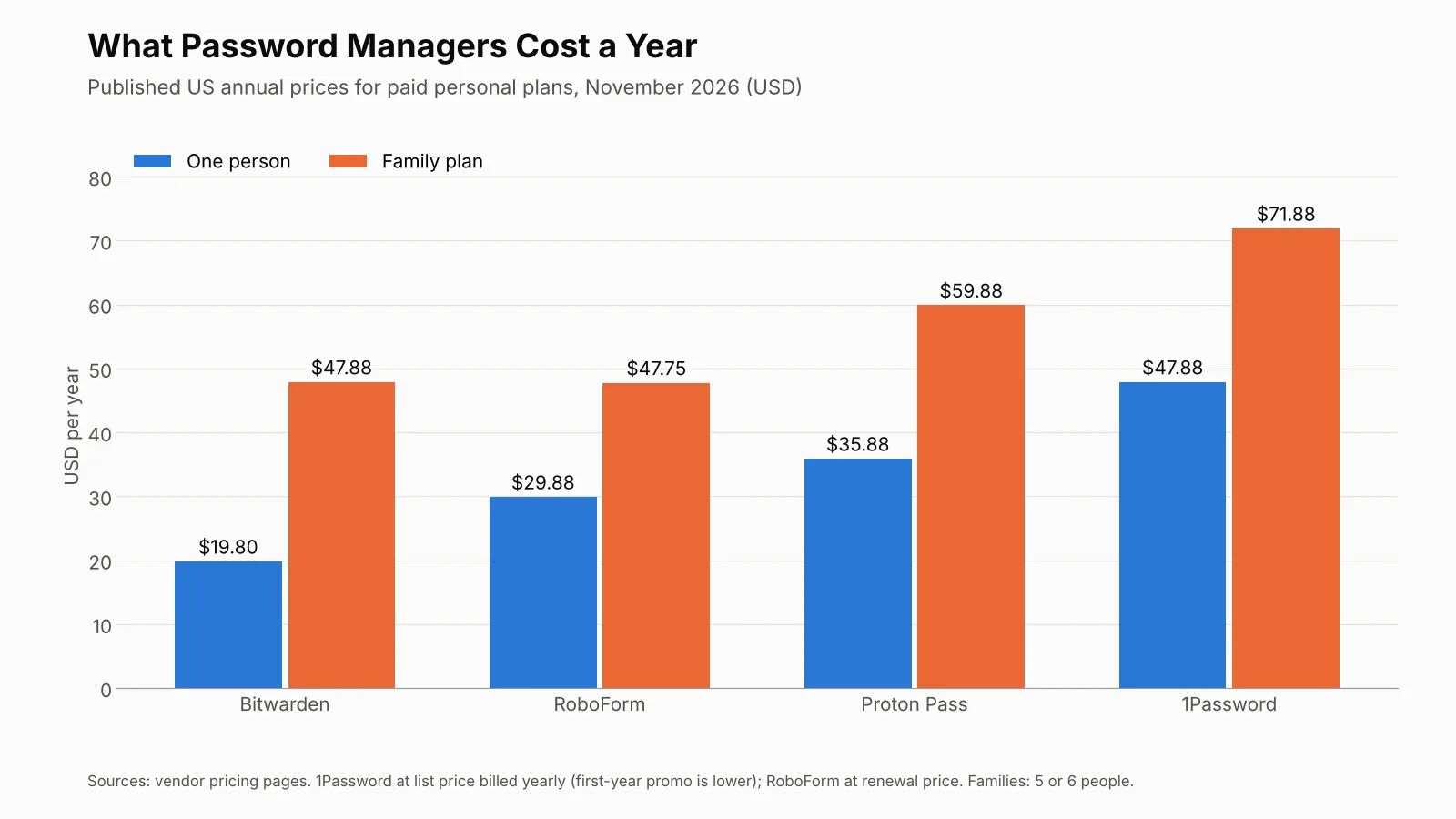
- Bitwarden Premium costs $19.80 a year, the cheapest paid plan here. Its free plan already covers unlimited passwords on unlimited devices.
- Proton Pass Free includes unlimited devices, passkeys and 10 email aliases, which makes it the strongest free choice for privacy-minded users.
- Moving is not enough on its own. Change the passwords for your email, bank and crypto accounts after you switch, because the stolen 2022 backups can still be attacked offline.
What Happened in the LastPass Breach
The breach came in two steps in August 2022, and it was worse than LastPass first said.
First, an attacker got into a developer’s laptop and copied source code and technical documents from LastPass’s development environment, and the next day the attacker went after a senior DevOps engineer’s home computer. According to the public record of the incident, the entry point was an unpatched Plex media server. Malware with a keylogger captured the engineer’s master password. The engineer used the same master password for personal and work vaults, so the attacker reached keys that opened LastPass’s cloud backups, BleepingComputer reported.
LastPass told customers on December 22, 2022, in a notice on its blog, that the attacker had copied a backup of customer vault data. The stolen backups held a mix of plain and encrypted data:
- Not encrypted: names, email addresses, billing addresses, phone numbers, the IP addresses customers used, and the website URLs saved in each vault.
- Encrypted: usernames, passwords, secure notes and form-fill data, locked with each customer’s master password.
That split is why the breach still matters: anyone holding the backups knows which sites you use, and they can try to guess a weak master password offline for as long as they like. In September 2023, Krebs on Security reported that researchers had linked more than $35 million in crypto thefts from over 150 victims to vaults cracked this way. Many victims had stored wallet seed phrases in LastPass. In March 2025, Krebs reported that federal investigators had linked a $150 million crypto theft to the same breach.
Regulators followed. The UK Information Commissioner’s Office announced in December 2025 that it had fined LastPass £1.2 million, saying the breach affected up to 1.6 million people in the UK. The ICO said the attacker did not decrypt customer vaults, since LastPass does not store master passwords.
What Makes a Password Manager Easy to Use
Security is the floor for every product here. Ease of use is what decides if a manager becomes a daily habit or an app you forget about, so we judged each option on five practical things.
- Import: how cleanly it takes a LastPass export, so you do not retype hundreds of logins.
- Autofill: whether logins and forms fill reliably in your browser and phone apps.
- Free plan: how much you can do before you pay anything.
- Sharing: how easily you can share a streaming login or a Wi-Fi password with family.
- Passkeys: whether it stores the passwordless sign-ins that more sites now offer.
LastPass Alternatives Compared
| Password manager | Free plan | Paid plan for one person | Family plan | Passkeys | Best for |
|---|---|---|---|---|---|
| 1Password | No, 14-day free trial | $3.99 a month, billed yearly | $5.99 a month for up to 5 people | Yes | Smoothest overall experience |
| Bitwarden | Yes, unlimited devices | $19.80 a year | $47.88 a year for up to 6 people | Yes, on the free plan | Lowest price |
| Proton Pass | Yes, unlimited devices | $2.99 a month, billed $35.88 a year | $4.99 a month for up to 6 people | Yes, on the free plan | Privacy and email aliases |
| NordPass | Yes, one user | From €1.23 a month on its site | Up to 6 users | Yes | Simple, clean design |
| RoboForm | Yes, one device | $29.88 a year at renewal | $47.75 a year for up to 5 people | Yes | Filling long web forms |
| Apple Passwords | Free with Apple devices | Free | Shared groups | Yes | iPhone and Mac households |
| Google Password Manager | Free with a Google account | Free | Not a family product | Yes | Android and Chrome users |
Prices are in US dollars except NordPass, whose site lists euros. Promotions change often, so confirm the price at checkout.
The Most User-Friendly LastPass Alternatives
1Password
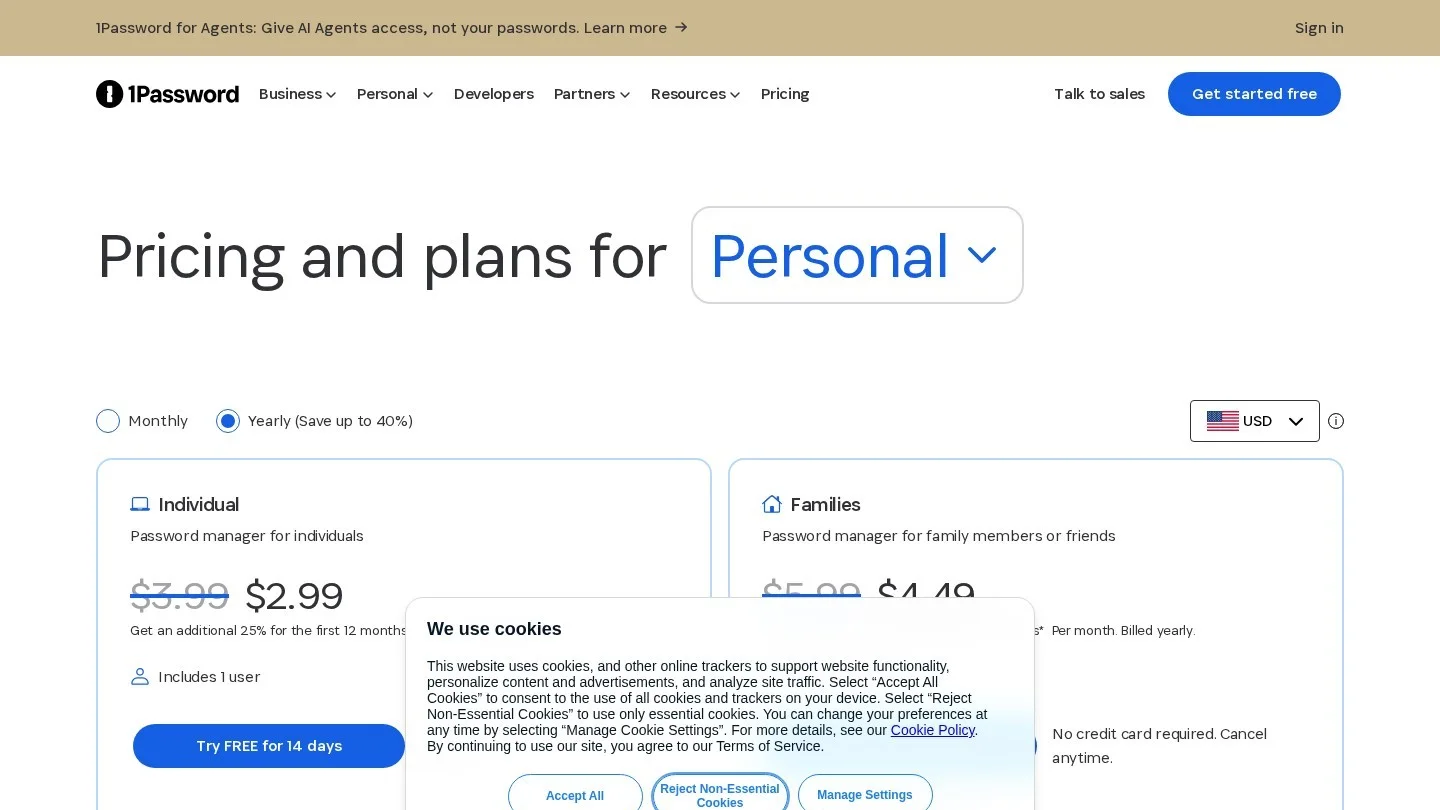
1Password is the easiest paid manager to live with. The apps feel polished on every platform, and its Watchtower feature flags weak and reused passwords and breached sites. That gives a LastPass refugee a clear to-do list on day one.
Individual costs $3.99 a month and Families costs $5.99 a month for up to five people, both billed yearly, according to its pricing page. New customers who buy direct currently get 25% off the first year, which brings the prices to $2.99 and $4.49. Every account gets 1GB of document storage. There is no free plan, but the 14-day trial does not ask for a credit card.
1Password runs on macOS, iOS, watchOS, Windows, Android and Linux, with extensions for Chrome, Safari, Edge, Firefox and Brave. It supports passkeys. Travel Mode hides chosen vaults from your devices before you cross a border, which is handy if you work on the road from the cities in our guide to the best cities for digital nomads in Europe.
Choose it if you want the least friction and are happy to pay for it.
Bitwarden
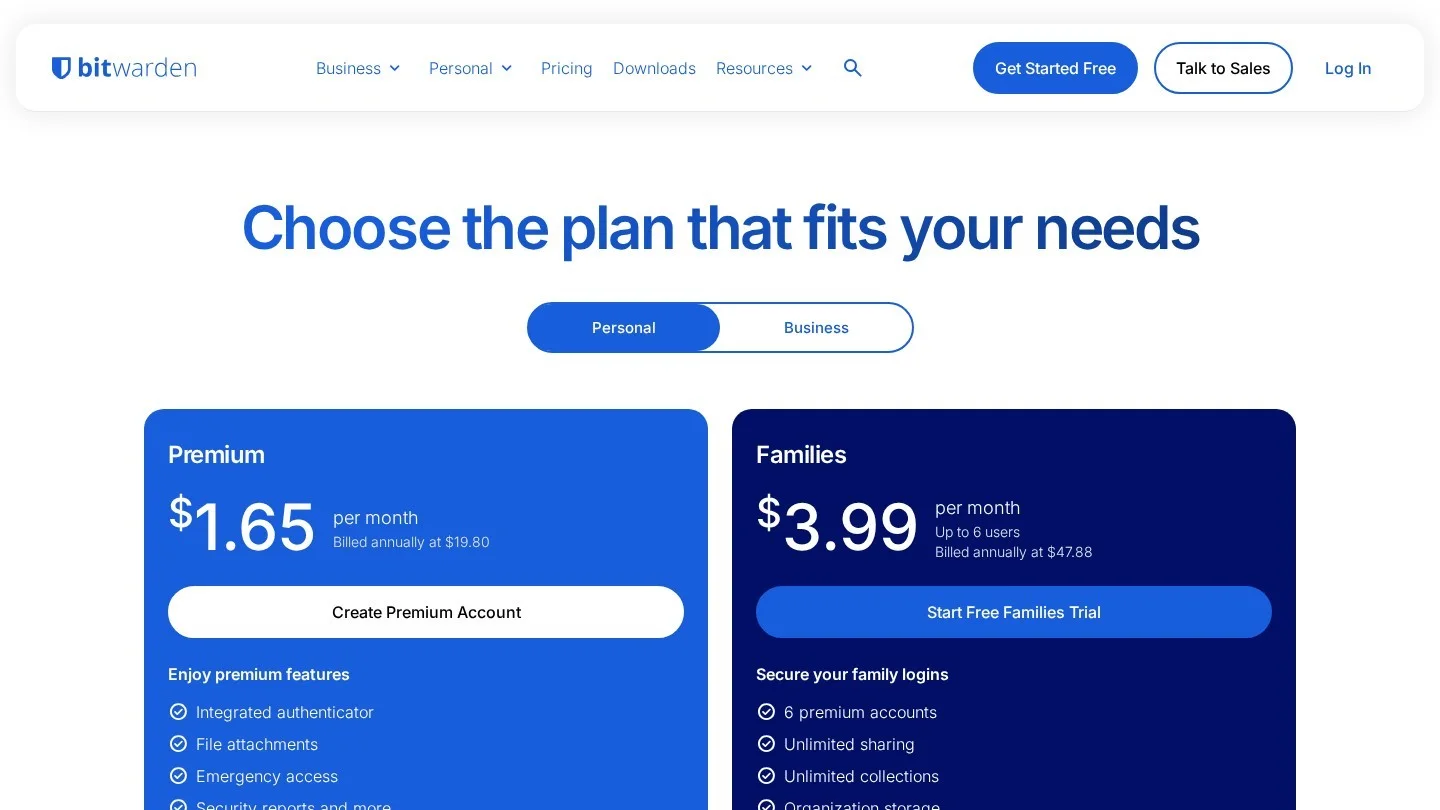
Bitwarden has the best free plan for most people and the cheapest upgrade. The free tier covers unlimited passwords on unlimited devices, passkey storage and Bitwarden Send for sharing text and files securely. You can also share items with one other Bitwarden user through a free organization.
Premium costs $19.80 a year, or $1.65 a month, according to Bitwarden’s pricing page. It adds a built-in authenticator for two-factor codes, 5GB of encrypted file storage, emergency access for a trusted contact and vault health reports. Families costs $47.88 a year and covers six people with unlimited sharing.
Bitwarden’s apps are more plain than 1Password’s, and new users sometimes need a few minutes to learn its folders and collections. Once that is done, it works quietly across every device.
Choose it if you want a strong free manager now, with a cheap paid plan later.
Proton Pass
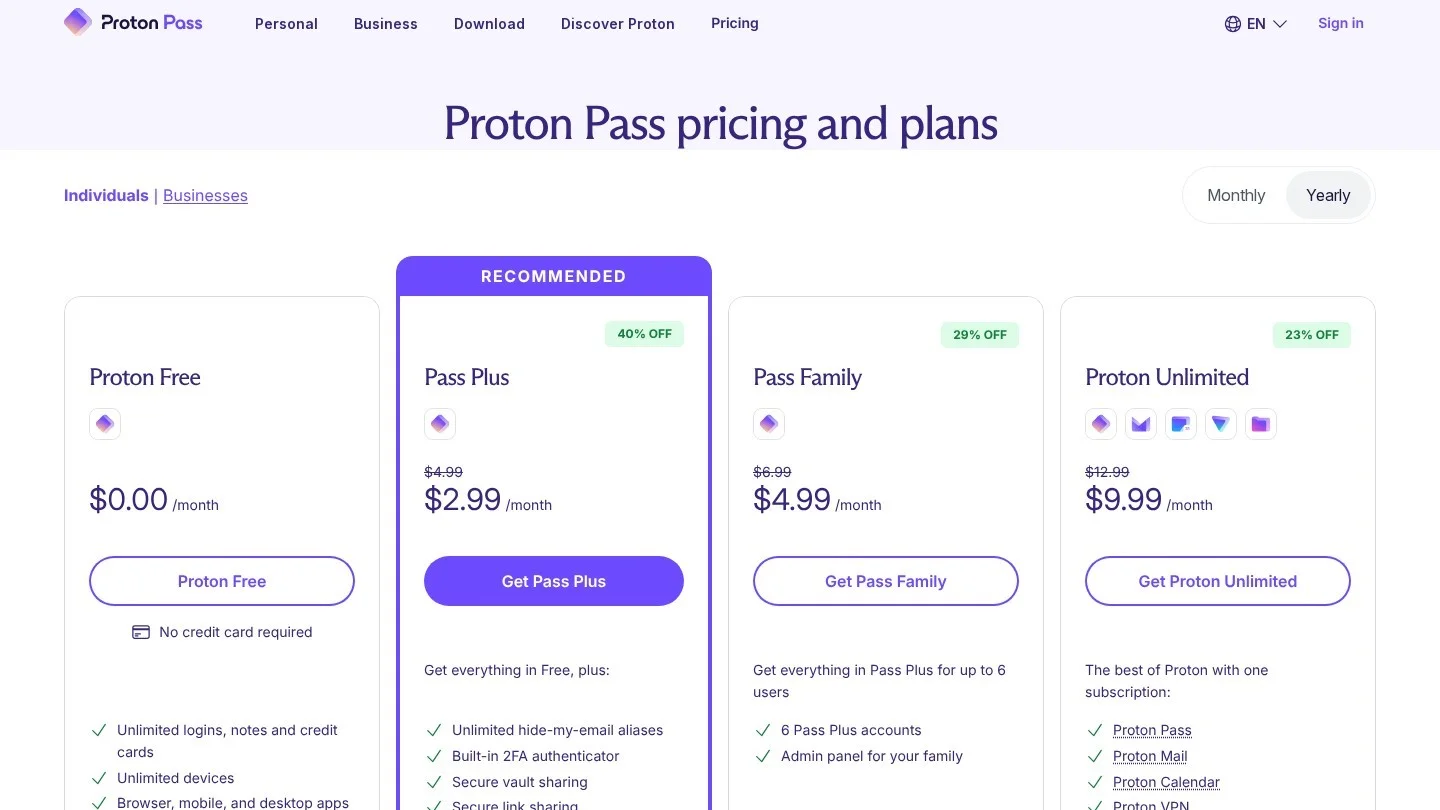
Proton Pass comes from the Swiss company behind Proton Mail, and its free plan is unusually generous. Proton Pass Free includes unlimited logins, notes and cards, unlimited devices, passkey support, alerts for weak and reused passwords, two vaults and sharing with up to two people. It also gives you 10 hide-my-email aliases, which let you sign up for sites without handing over your real address.
Pass Plus costs $2.99 a month, billed $35.88 a year. It adds unlimited aliases, a built-in two-factor authenticator, dark web monitoring and file attachments. Pass Family costs $4.99 a month, billed $59.88 a year, for up to six people.
The alias feature is the main reason to pick Proton over Bitwarden. After the LastPass breach exposed customer email addresses, having a different address for each site makes the next leak far less useful to scammers.
Choose it if privacy matters most and you want a free plan that does not feel limited.
NordPass
NordPass, from the company behind NordVPN, has one of the cleanest interfaces in this group. Its free plan has no limit on the number of passwords, passkeys or personal details you can store, for one user, according to the NordPass product page. Vaults are encrypted with XChaCha20.
Premium starts at €1.23 a month on its site and adds Password Health and a Data Breach Scanner. A Family plan covers up to six users. NordPass has apps for Windows, macOS, Linux, Android and iOS, plus extensions for Chrome, Firefox, Safari, Opera, Edge and Brave, and it can import data from other password managers.
Choose it if you want a simple, modern app and already use other Nord products.
RoboForm
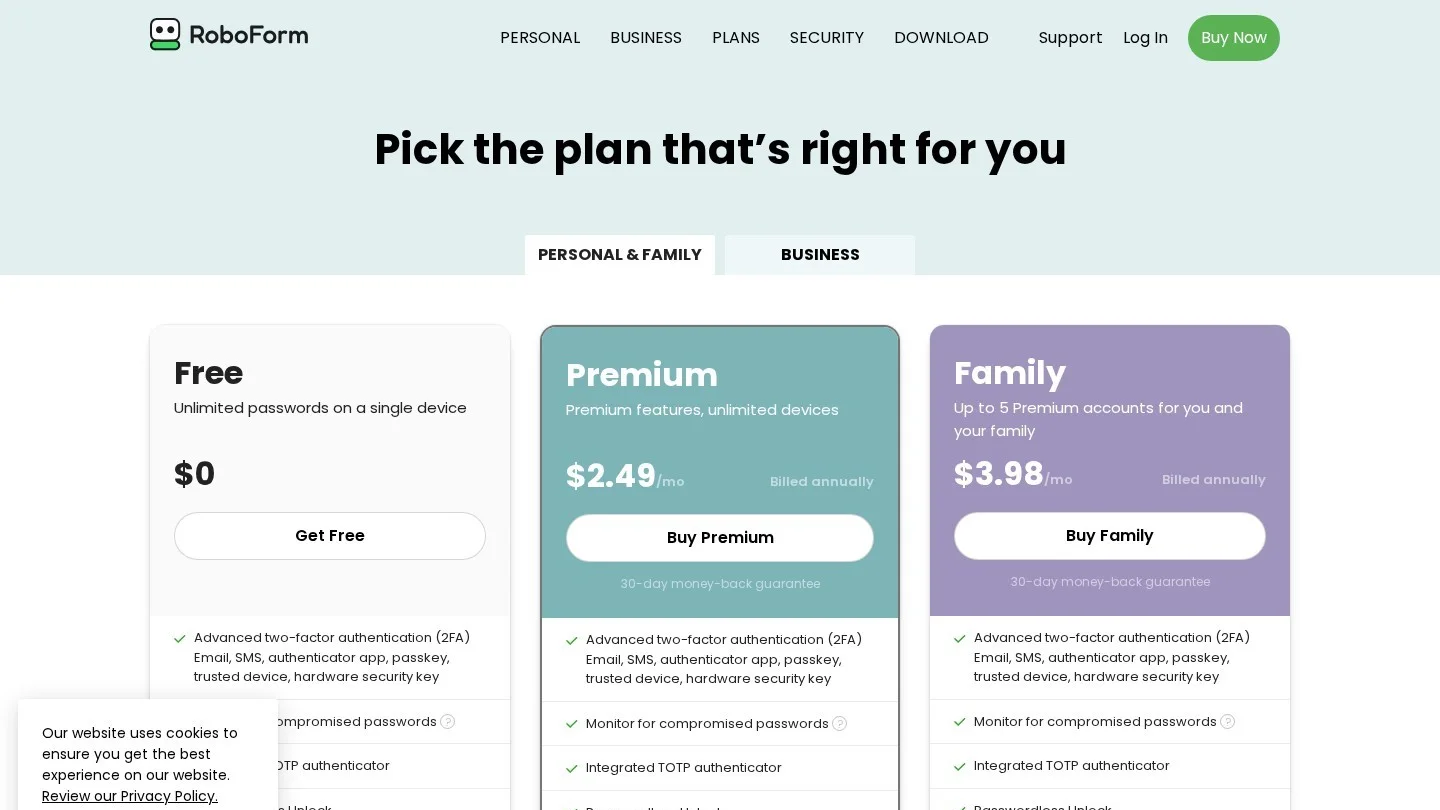
RoboForm started as a form filler, and it still does that job better than most. If you often complete long checkout pages, job applications or government forms, it saves real time.
The free plan stores unlimited passwords, but only on a single device. Premium renews at $29.88 a year ($2.49 a month) and Family at $47.75 a year for up to five premium accounts, according to RoboForm’s personal pricing page. Both come with a 30-day money-back guarantee. Every plan includes passkey support, sharing of items and folders, form filling and emergency access through trusted contacts. Paid plans add live chat and phone support on weekdays.
Choose it if you fill in a lot of web forms or want phone support.
Apple Passwords
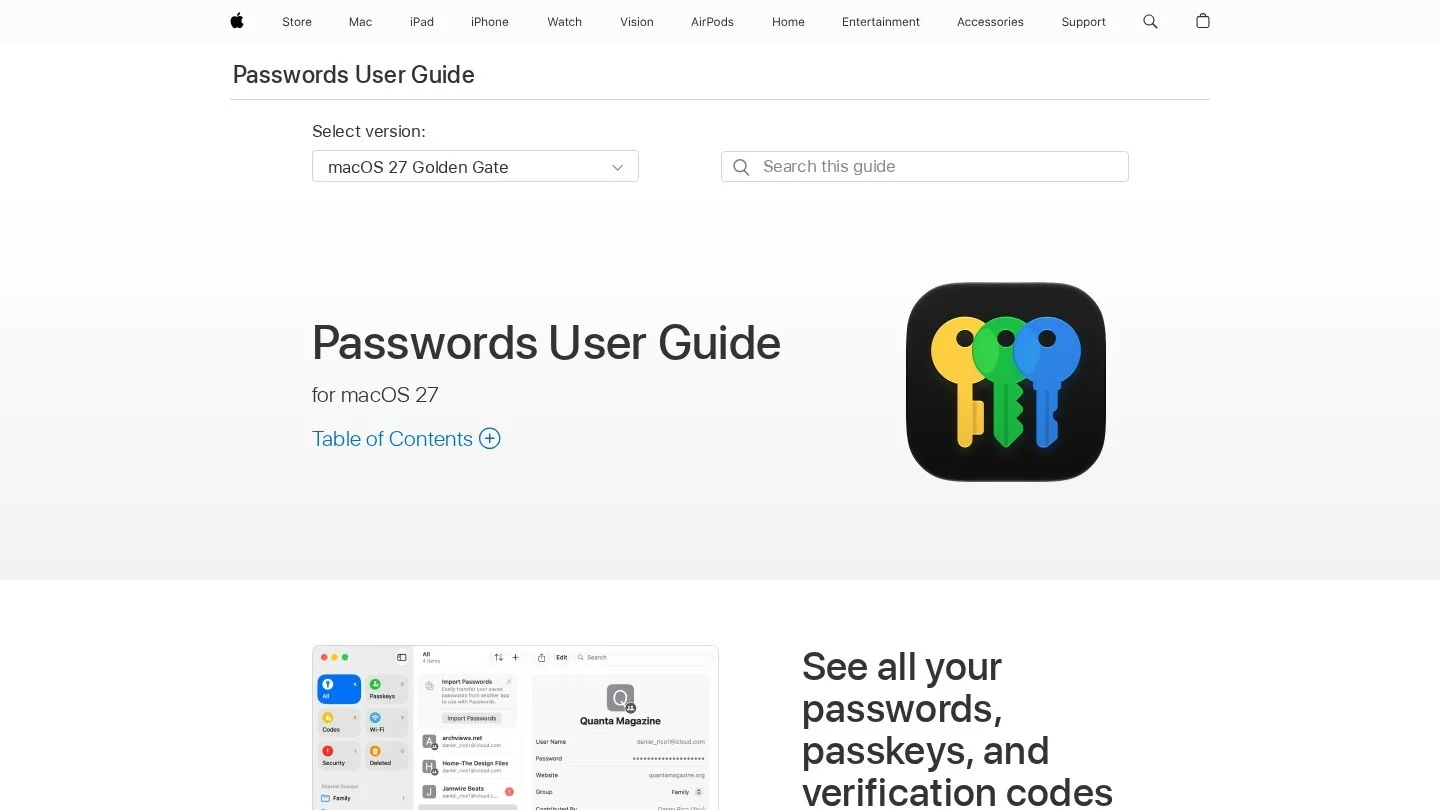
Apple Passwords is the free manager built into iPhone, iPad and Mac. Since iOS 18 and macOS Sequoia in 2024, it has had its own app instead of hiding inside Settings. It stores passwords, passkeys, verification codes and Wi-Fi passwords, syncs through iCloud Keychain, and lets you share selected logins with a group of family or friends.
For an all-Apple household, it is the lowest-effort switch there is. The catch is reach, because on Windows it works through iCloud for Windows and Android users are left out. A family with mixed devices will be happier with Bitwarden, Proton Pass or 1Password.
Choose it if everyone in your home uses Apple devices.
Google Password Manager
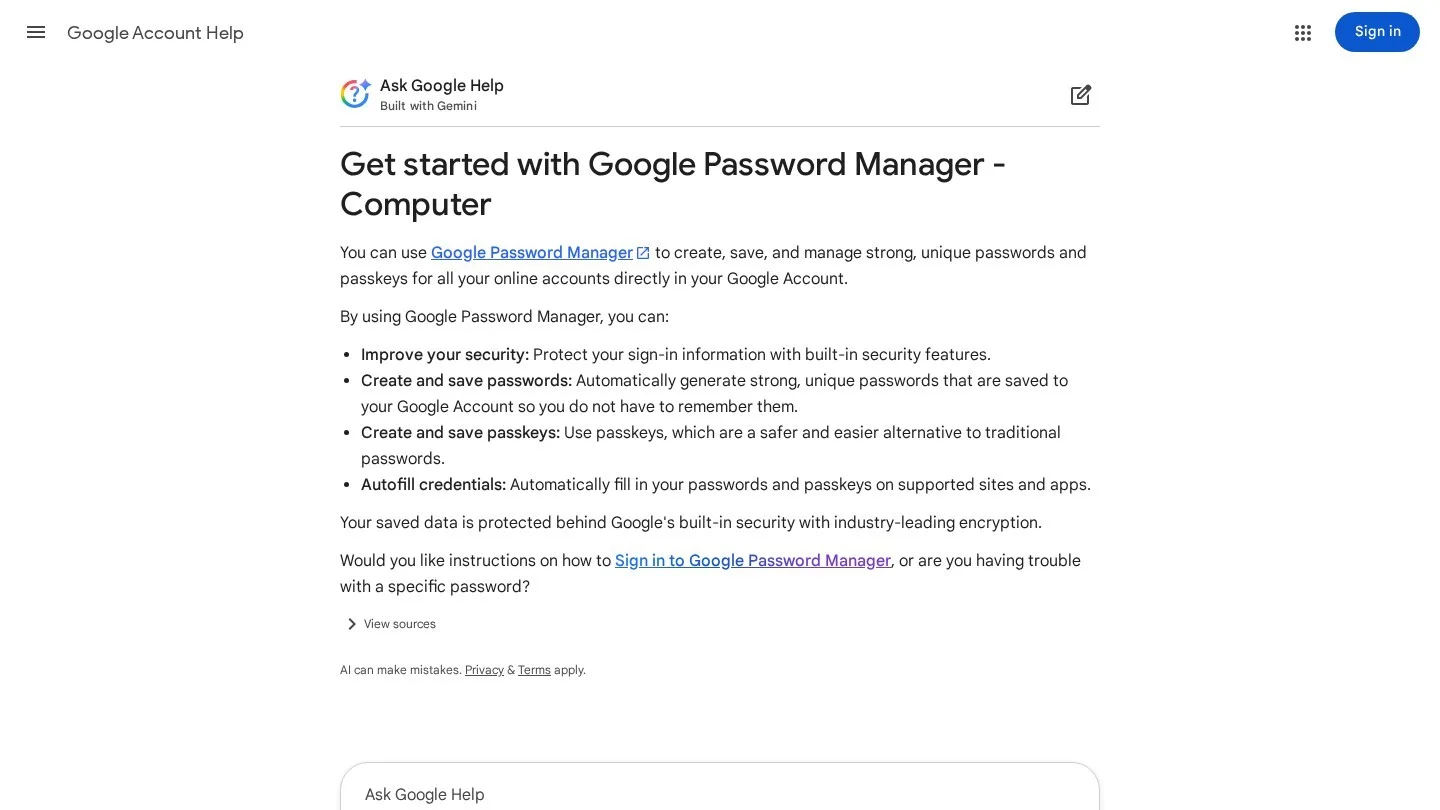
Google Password Manager is built into Chrome and Android and is free with any Google account. It saves and fills passwords and passkeys, warns you about compromised or reused passwords through Password Checkup, and can import a CSV file from another manager.
It is the easiest choice for people who use Chrome everywhere. It is weaker on sharing, secure notes and use outside Chrome, and your passwords sit behind your Google account. Protect that account with a passkey or an authenticator app before you move anything in.
Choose it if you use an Android phone and Chrome, and want nothing extra to install.

How to Move From LastPass to a New Password Manager
The move fits in one sitting for most people. Do it on a computer you trust, not a shared or work machine.
- Set up the new manager first: Create the account, pick a long master password you have never used anywhere, and turn on two-factor authentication.
- Export from LastPass: In the LastPass web vault or browser extension, use the Export option in the advanced settings to download a CSV file. LastPass will ask for your master password.
- Import the file: Open the new manager’s import tool and choose LastPass, or a generic CSV file, as the source. Check that folders, notes and two-factor seeds came across.
- Delete the export: The CSV file holds every password in plain text. Delete it and empty the trash as soon as the import works.
- Install the apps and test autofill: Add the browser extension and phone app, then sign in to five or six sites you use daily.
- Turn off LastPass autofill: Remove the LastPass extension so two managers do not fight over the same login box.
- Close the LastPass account: Wait a week or two to be sure nothing is missing, then delete the account.
Change the Passwords That Matter Most
Importing your old vault also imports your old passwords. If you had a LastPass account before the end of 2022, assume an encrypted copy of your vault exists outside LastPass. Change these first:
- Email accounts: Whoever controls your email can reset almost everything else.
- Banks, cards and payment apps: Start with any account that can move money.
- Crypto wallets: A changed password does not protect a seed phrase that was stored in the vault. Move the funds to a new wallet with a new seed. Our guide to crypto address whitelisting explains another layer that limits where an exchange can send your coins.
- Work and admin logins: Anything with access to customer data or company money.
A small business moving a team should also write down who can share what, and where staff may store work logins. The same thinking goes into an AI acceptable use policy, and both can live in one short IT policy document.
Which LastPass Alternative Fits You
| Your situation | Best pick | Why |
|---|---|---|
| You want the easiest paid app | 1Password | Polished apps, Watchtower alerts, 14-day trial without a card |
| You want a free plan that does everything | Bitwarden | Unlimited passwords and devices, passkeys, secure Send |
| You care most about privacy | Proton Pass | Free email aliases and unlimited devices |
| You want the cheapest paid plan | Bitwarden Premium | $19.80 a year |
| Your family uses only Apple devices | Apple Passwords | Free, built in, shared groups |
| You live in Chrome and Android | Google Password Manager | Free, built in, no new app |
| You fill in long forms often | RoboForm | Form filling on every plan |
| You want a simple, modern look | NordPass | Clean apps on every major platform |
Watch the renewal date. The 1Password discount lasts 12 months, and RoboForm quotes its renewal price separately from first-year offers. Adding the subscription to a tracker such as our small business expense spreadsheet template keeps a price jump from catching you off guard.
Exporting Your Vault and Whether LastPass Is Safe in 2026
What Is the Best Free Alternative to LastPass?
Bitwarden Free and Proton Pass Free are the strongest. Both allow unlimited passwords on unlimited devices and support passkeys. Proton adds 10 email aliases, while Bitwarden adds secure text and file sharing through Bitwarden Send.
Is LastPass Still Safe to Use in 2026?
LastPass still operates, but the vault backups stolen in 2022 remain in attackers’ hands, and researchers have tied tens of millions of dollars in crypto thefts to cracked vaults. If you stay, use a long, new master password and change passwords for important accounts.
How Do I Export My Passwords From LastPass?
Open the LastPass web vault or browser extension, find the Export option in the advanced settings, enter your master password and save the CSV file. Import it into your new manager, then delete the file, because it is not encrypted.
Was My Password Stolen in the LastPass Breach?
The attacker copied encrypted vault backups, not readable passwords. Your passwords are only exposed if the attacker cracks your master password. Website URLs, names, emails, billing addresses and phone numbers were stored without encryption, so those details should be treated as exposed.
Is Bitwarden or 1Password Easier to Use?
1Password is generally easier for beginners because its apps are more polished and its trial needs no card. Bitwarden is cheaper, with a capable free plan and Premium at $19.80 a year, but it takes a little longer to learn.
Can I Use Apple or Google Instead of a Paid Password Manager?
Yes, if you stay inside one system. Apple Passwords works best when everyone uses Apple devices, and Google Password Manager works best with Chrome and Android. Mixed-device households are better served by a cross-platform manager.
LastPass Notices, Krebs Reporting and the ICO Fine
- LastPass: Notice of Recent Security Incident (December 22, 2022)
- Wikipedia: 2022 LastPass Data Breach
- BleepingComputer: UK Fines LastPass Over 2022 Data Breach (December 2025)
- ICO: Password Manager Provider Fined (December 2025)
- Krebs on Security: Experts Fear Crooks Are Cracking Keys Stolen in LastPass Breach (September 2023)
- Krebs on Security: Feds Link $150M Cyberheist to 2022 LastPass Hacks (March 2025)
- Bloomberg Law: LastPass Gets Initial Nod for $24.5 Million Data Breach Deal (February 2026)
- 1Password: Pricing
- Bitwarden: Pricing
- Proton Pass: Pricing
- NordPass: Password Manager
- RoboForm: Personal Pricing