Five Questions That Pick a CMS for a React Website
React itself does not care where content comes from, so the choice of CMS is decided by five things around it: the React framework you render with, the people who will edit, where the content must live, what the bill looks like at your team size, and how many languages you publish in. Answer those in order and most shortlists shrink to two or three names.
This guide walks through each question with the facts that settle it, using the vendors’ own docs and pricing pages. The cost math is ours, and we show how each figure was built.

Your React Framework Sets the First Filter
A CMS has to fit how your pages render, and the same vendor can feel very different in a Vite single-page app and in a Next.js App Router project.
| How the React site renders | What to look for in a CMS | Examples that fit |
|---|---|---|
| Next.js App Router with Server Components | A package for Server Components, webhook support for revalidateTag, draft mode routes | Sanity (next-sanity), Storyblok (@storyblok/react/rsc), Payload (installs inside the Next.js app) |
| Vite single-page app | A JavaScript client and a plan with enough API calls, since every visitor’s browser calls the API | Prismic (4 million calls on Free), Sanity (1 million CDN requests on Free) |
| Remix or React Router framework mode | Server-side fetching in loaders, with tokens kept on the server | Any API-first CMS; Keystatic for Git-based content |
| Astro with React components | Build-time fetching, Markdown or MDX support | Keystatic, TinaCMS, any headless API |
The single-page app row needs care, because a plain Vite app renders content in the browser, so search engines and link previews may see an empty shell first, and every page view spends API quota. For public marketing content, a framework with server rendering or prerendering usually wins. Our Next.js App Router CMS comparison covers that setup in depth.
The People Who Edit Narrow the Shortlist
Developers, marketers and content teams want different editing tools, and a CMS that suits one group often frustrates another.
Developers Who Live in Git
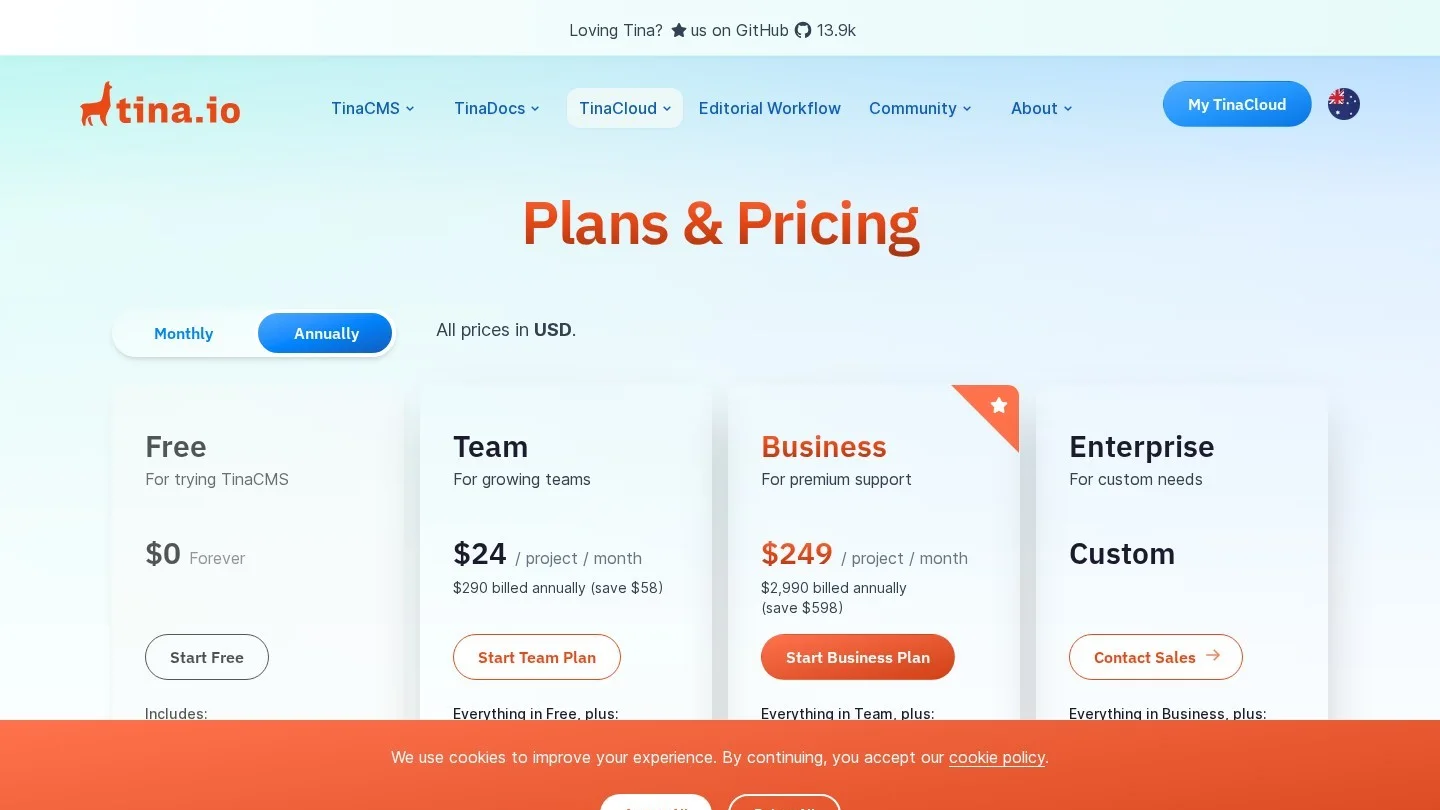
Keystatic and TinaCMS store content as files in your repository, next to the code. Keystatic is MIT-licensed and built for Next.js, Remix and Astro, and it links straight to GitHub. TinaCMS adds visual editing on top of Markdown and MDX. TinaCloud is free for two users, Team costs $24 a month per project (or $290 a year) for three users, and Business is $249 a month per project for 20.
Marketers Who Build Pages
Visual editors let a marketer click a section on the live page and change it. Storyblok, Builder.io and Prismic all render your own React components inside the editor. Storyblok and Builder.io offer free drag-and-drop editing for a single user. Prismic uses slices, sections that developers build once and editors stack in any order, which keeps a big marketing site on-brand.
Content Teams With Structured Models
Newsrooms, product catalogs and multi-brand sites need content that is reused across pages and apps. Sanity, Contentful and DatoCMS are built for that kind of structured, reusable content. Sanity’s Free plan allows up to 20 seats, while Contentful’s allows 10 users and 100K API calls a month.
Where the Content Lives: Hosted, Self-Hosted or In the Repo
This question is often settled by your IT or legal team before anyone looks at features.
- Hosted SaaS: Sanity, Contentful, Storyblok, Prismic, DatoCMS and Builder.io run the servers. You pay per seat, per plan or per usage.
- Self-hosted open source: Strapi is MIT-licensed with no license cost. Payload is MIT-licensed and installs inside a Next.js app; it joined Figma in June 2025 and stays open source. Directus is free to self-host for organisations under $5 million in yearly revenue with fewer than 50 employees.
- In the repository: Keystatic and TinaCMS keep content in Git next to your code, so every change has a commit and a reviewer.
Self-hosting trades a subscription for server, database and maintenance work. If you take that route, add CMS admin logins to your security checklist and keep the admin panel behind single sign-on or an IP allowlist.
Yearly Cost at 3, 10 and 25 Editors
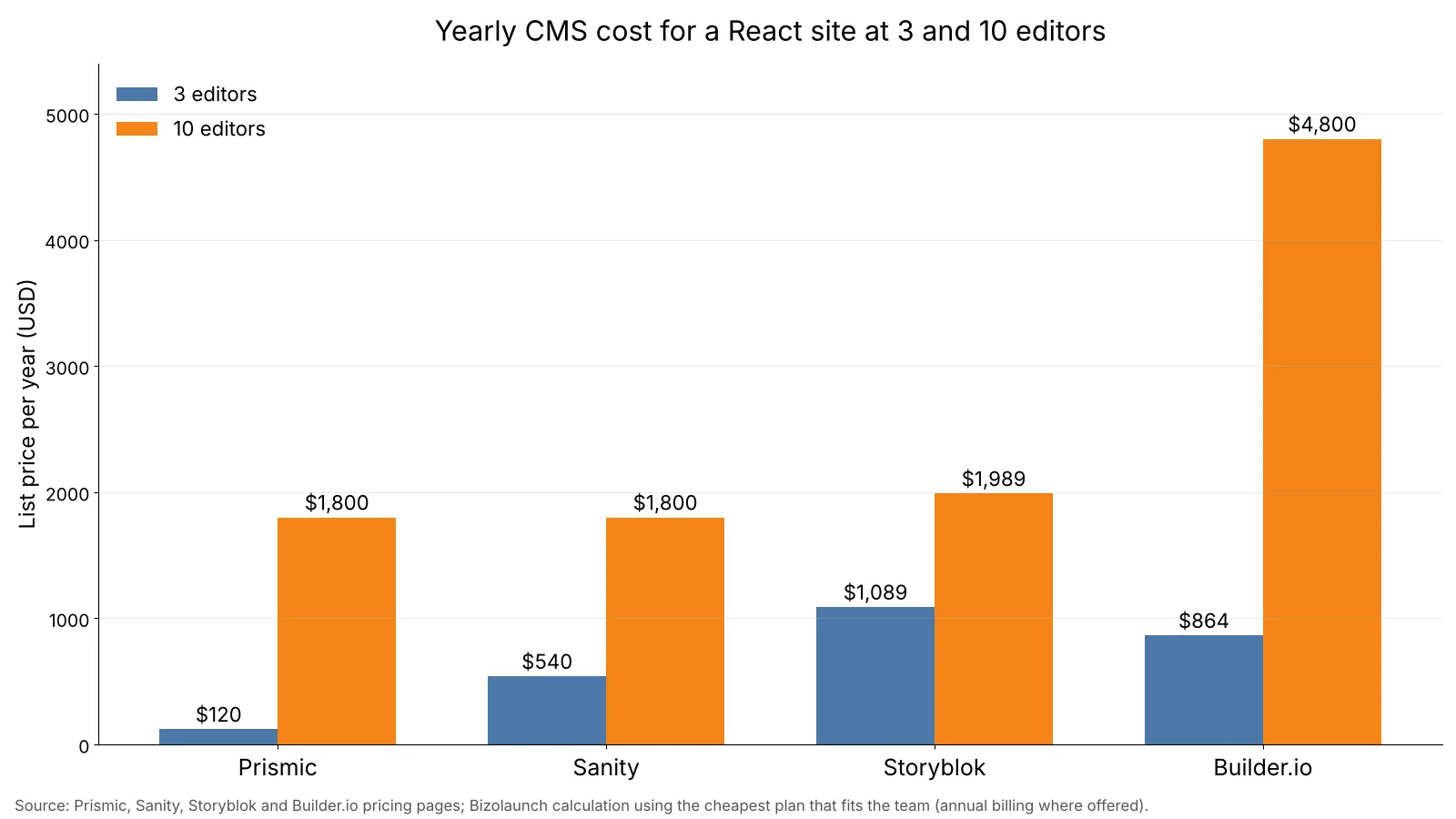
Seat pricing changes the order of vendors as a team grows, so we priced each hosted platform at three team sizes using the cheapest plan that fits the headcount, with yearly billing where the vendor offers it.
| Platform | 3 editors | 10 editors | 25 editors | Plan logic |
|---|---|---|---|---|
| Prismic | $120 | $1,800 | $1,800 | Starter (3 users), then Medium (25 users), per repository |
| Sanity | $540 | $1,800 | $4,500 | Growth at $15 per seat a month |
| Storyblok | $1,089 | $1,989 | Custom quote | Growth includes 5 seats, extra seats $15 a month, 10-seat cap; Growth Plus caps at 15 |
| DatoCMS | €1,788 | €1,788 | €3,408 | Professional includes 10 collaborators, extra €9 a month each |
| Builder.io | $864 | $4,800 | Custom quote | Pro $24 per user (up to 5), Team $40 per user (up to 20) |
Prismic’s 25-editor figure stays flat because its Medium plan covers 25 users for one price. Sanity’s per-seat model climbs in a straight line with headcount. Storyblok’s yearly Growth price works out to $1,089 ($90.75 x 12), and at 10 editors we add five extra seats at $15 a month each. Builder.io lists monthly per-user prices, which we multiplied by 12.
Free plans can cover very small teams, with some conditions. Sanity Free fits up to 20 people but offers only Administrator and Viewer roles. Contentful Free fits 10 users with hard caps of 100K API calls a month. Self-hosted Strapi and Payload have no license fee at any team size, and Strapi Cloud prices per project at $35, $90 or $450 a month.
If your agency resells the CMS inside a monthly retainer, our SaaS pricing models explainer covers how per-seat and usage pricing pass through to clients, and the expense spreadsheet template is a quick place to track the subscription.
Locales Included on Each Plan
Multilingual sites hit locale limits early, and an extra locale is often the first surprise on the invoice.
| Platform and plan | Locales included | Extra locales |
|---|---|---|
| Contentful Free | 2 | Upgrade required |
| Storyblok Starter | 2 | Not on Starter |
| Storyblok Growth | 2 | $20 each, up to unlimited |
| Storyblok Growth Plus | 10 | Included |
| Prismic Free / Starter / Small | 2 / 3 / 4 | Next plan up |
| Prismic Medium / Platinum | 5 / 8 | Enterprise for more |
| DatoCMS Free | 5 | No overages allowed |
| DatoCMS Professional | 5 per project | €19 a month each, up to 10 |
A site in English, Spanish, French and German needs four locales. That fits Prismic Small, DatoCMS on either plan, Storyblok Growth with two paid add-ons at $40 a month, or Storyblok Growth Plus.
Preview and Visual Editing With React Components
Editors judge a CMS by its preview, so test it during the trial before you sign anything.
- Sanity:
defineLivein next-sanity 13 returnssanityFetchand a<SanityLive>component, so pages update as editors type, without webhooks. - Storyblok: The Visual Editor loads your site in an iframe and makes each block clickable. App Router projects import its components from
@storyblok/react/rsc. - Contentful: The
useContentfulLiveUpdateshook from@contentful/live-preview/reactruns in a client component wrapped around your server tree. - Prismic: A slice simulator previews each section in isolation, and full-page previews run through a preview route.
- TinaCMS: Visual editing is included on the free plan, so a two-person team can test it at no cost.
API Limits, Overages and Traffic Spikes
Seat counts get most of the attention during a CMS purchase, yet API traffic is what surprises teams after a launch or a viral post. Each vendor handles extra traffic differently, and the difference matters most for single-page React apps, where every visitor’s browser calls the CMS directly.
| Platform | Monthly API allowance on the plan shown | What happens above it |
|---|---|---|
| Contentful Free | 100K API calls | Hard cap, no paid overage on Free |
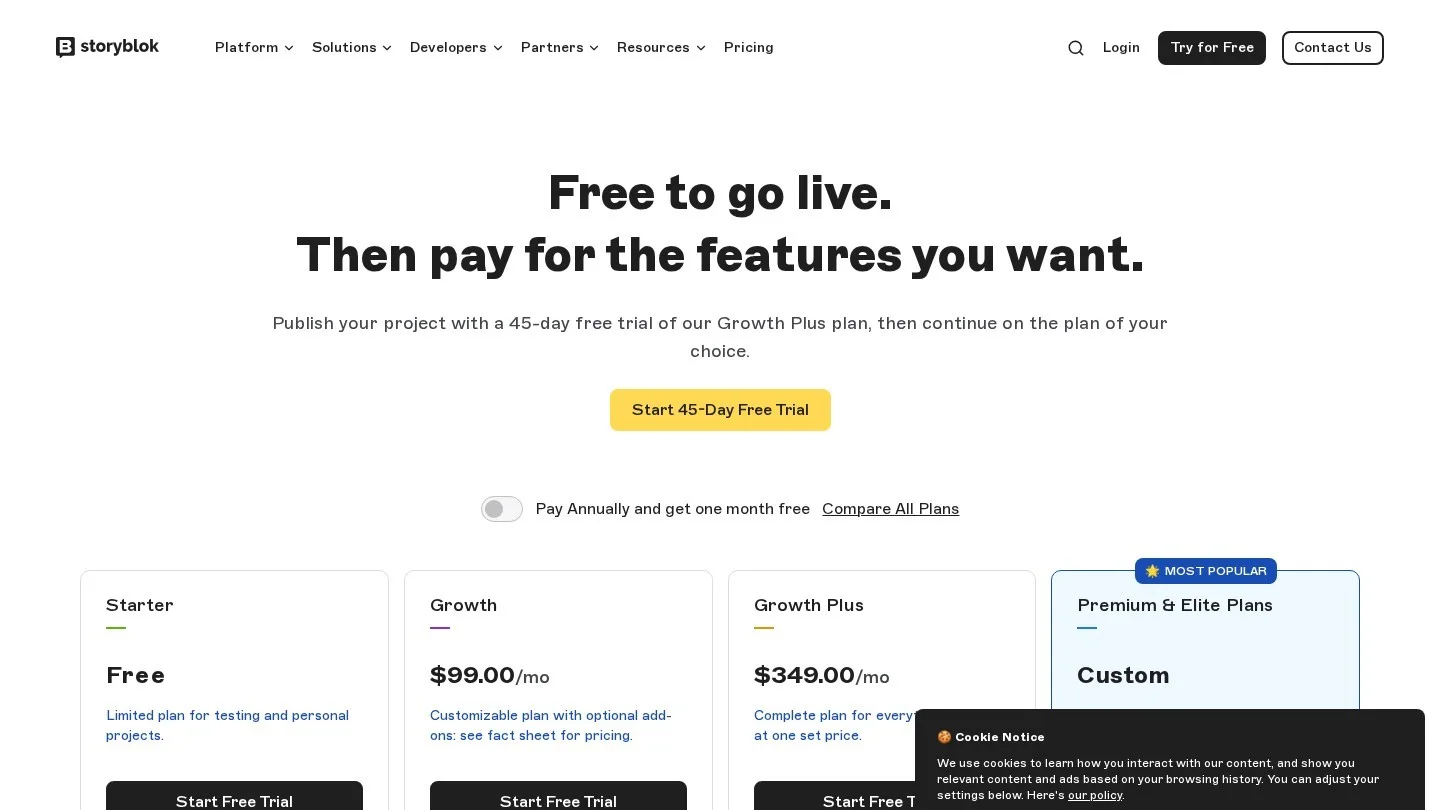
| Storyblok Growth | 1 million API requests | $10 per extra 1 million requests |
| Sanity Growth | 250k API requests and 1 million API CDN requests | $1 per 25k API requests, $1 per 250k CDN requests |
| Prismic Free | 4 million API calls | No overages; the project is locked if CDN bandwidth runs out |
| DatoCMS Professional | 1 million CDA API calls | €9 per extra 1 million calls |
| Strapi Cloud Starter | 100,000 API requests | $1.50 per extra 25,000 requests |
To make the gap concrete, we priced two million extra requests in a month on each paid plan with an overage rate. That costs $8 on Sanity if the requests go through its API CDN, but $80 if they hit the uncached API, $20 on Storyblok Growth, €18 on DatoCMS Professional and $120 on Strapi Cloud. Routing reads through a CDN, or rendering pages on the server and caching them, is usually cheaper than any plan upgrade.
A Scorecard for Your Final Two or Three
Once the five questions have cut the list, score the finalists on a one-week trial. Give each criterion a weight that reflects your project, rate each CMS from 1 to 5, and multiply.
| Criterion | Suggested weight | What to test in the trial |
|---|---|---|
| Editor experience | 30% | Can a non-developer publish a new page without help? |
| Framework fit | 20% | Does preview work in your framework, on your host? |
| Cost at year two | 20% | Price at your expected headcount and traffic, plus overage rates |
| Content model fit | 15% | Can you model your real content, including references and repeating sections? |
| Exit plan | 15% | Can you export all content and assets in a usable format? |
Overage rates belong in the cost row, because Strapi Cloud charges $1.50 per extra 25,000 API requests. Sanity Growth charges $1 per extra 25k API requests and $0.30 per extra GB of bandwidth. DatoCMS and Contentful free plans stop at their caps instead of billing you, which is safer for side projects and risky for a launch day.
Write the content model down before the trial starts, because a list of page types, fields and character limits saves days, and the word counter is handy for setting realistic limits on titles and summaries.
Planning the Exit Before You Sign
Every CMS contract ends some day, and the cost of leaving is set in the first week of development. The single habit that lowers it most is to keep vendor code out of your React components and inside one data file that the rest of the app imports.
// lib/cms.ts
export type Post = { title: string; slug: string; body: string }

export async function getPost(slug: string): Promise<Post> {
  const res = await fetch(`${process.env.CMS_URL}/api/posts?slug=${slug}`)
  const json = await res.json()
  return mapToPost(json)
}
Components then work with your own Post type, while the mapping function is the only place that knows the vendor’s response shape. A later move to another CMS means rewriting mapToPost and the fetch call, and the rest of the site stays as it is.
Ask three exit questions during the trial as well. First, can you export every entry and asset in a documented format? Do rich text fields export as portable JSON or HTML, or only as a vendor format? And do image URLs keep working after you cancel, or will every image need to move? Self-hosted Strapi, Payload and Directus keep data in your own database, and Keystatic and TinaCMS keep it in your Git repository, which makes their exit answers short.
Questions React Teams Ask Before Choosing a CMS
What Is the Cheapest CMS for a React Website?
Self-hosted Strapi, Payload, Keystatic and Directus (under its revenue threshold) have no license fee. Among hosted platforms with paid seats, Prismic Starter is $120 a year for three users.
Is a Headless CMS Better Than WordPress for React?
A headless CMS sends content as JSON for your React components to render, which suits teams that own their front end. WordPress can also run headless through its REST API, but its editor and plugins are built around themes.
Can I Switch CMS Later Without Rebuilding My React Site?
Partly, as long as you keep CMS calls in one data layer, such as a lib/cms.ts file, so components never import a vendor SDK directly. A switch then means rewriting that file and migrating content.
Which CMS Works Best With React Server Components?
Sanity, Storyblok and Payload publish Server Component patterns for the Next.js App Router. Any CMS with an HTTP API also works, because Server Components can call fetch directly.
Framework-specific comparisons are in our pieces on CMS platforms for Angular apps and CMS options for Vue.js.
Vendor Pages Used for This Buying Guide
- Sanity pricing
- Sanity live content guide for Next.js
- Storyblok pricing
- Storyblok Next.js guide
- Prismic plans and pricing
- DatoCMS pricing
- Builder.io pricing
- Contentful pricing
- Contentful live updates docs
- TinaCloud pricing
- Keystatic repository
- Strapi self-hosting and license
- Strapi Cloud pricing
- Strapi Cloud usage and billing
- Payload is joining Figma
- Payload installation docs
- Directus pricing and self-hosting terms