
An eight-person team can pay $480 a year for Craft’s Team plan or $1,920 a year for Notion Business, and both will hold the same meeting notes, project pages and how-to guides. The $1,440 gap buys AI agents, longer page history and single sign-on, which some teams need and many never touch. Picking the best note-taking app for a small team is mostly about matching that price to the way your team actually writes things down.
For most small teams, Notion is the safest all-round choice, because it combines notes, wikis and simple databases in one shared workspace. Confluence Free covers teams of up to 10 people, especially if you already use Jira. Slite suits teams that want a tidy internal knowledge base with AI answers, Craft offers the lowest per-person price for good-looking shared docs, and Obsidian fits technical teams that want their notes as plain files they fully own. We compared seven apps on price, collaboration, AI features and how easy it is to leave.
Confluence Free for 10, Craft at $6 and Notion’s AI on Business
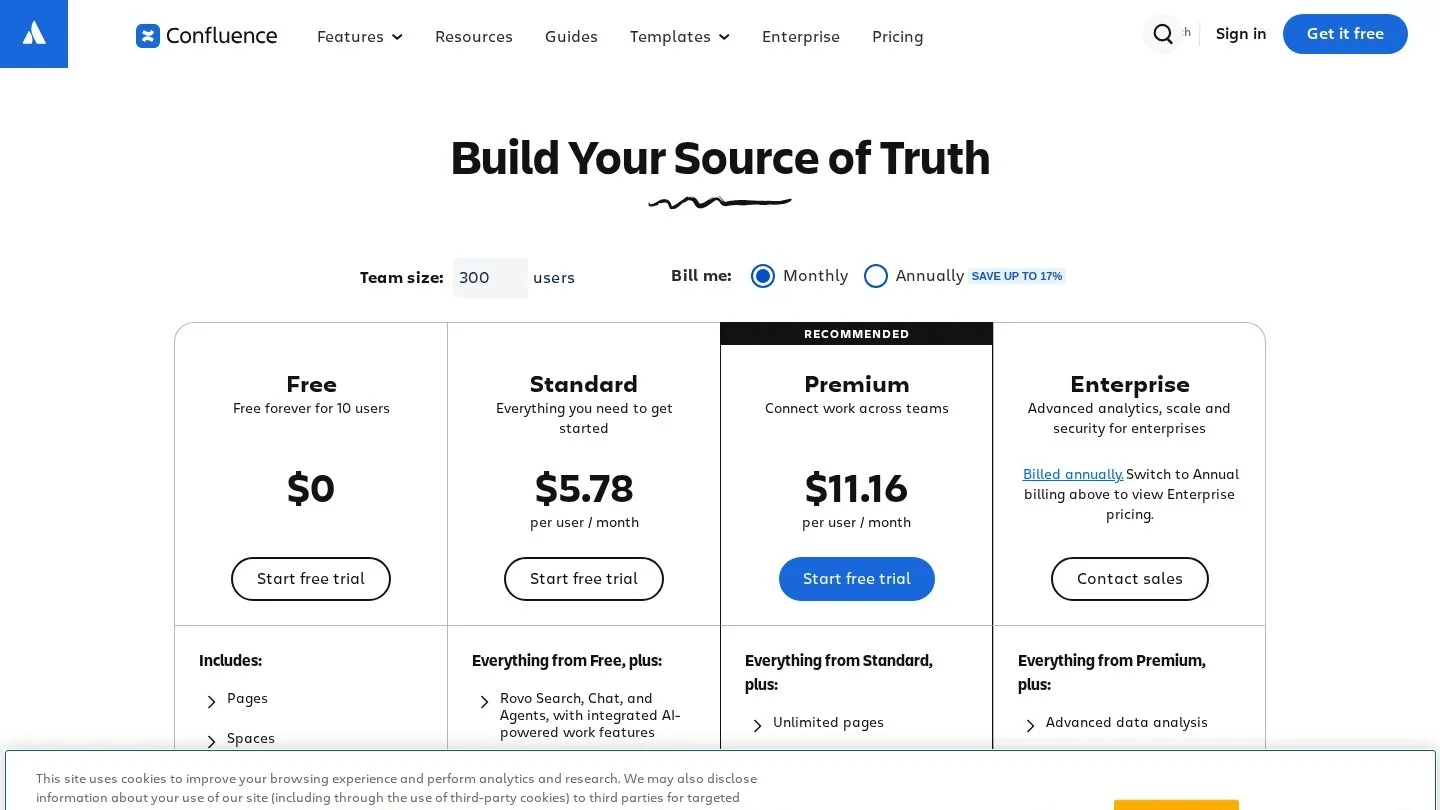
- Confluence Free covers up to 10 users and 2 GB of storage, which makes it the cheapest way for a small team to run a shared wiki.
- Craft’s Team plan costs $6 per member a month, or $60 a year, for teams of 3 to 99 people, the lowest per-seat price among the apps with verified team plans here.
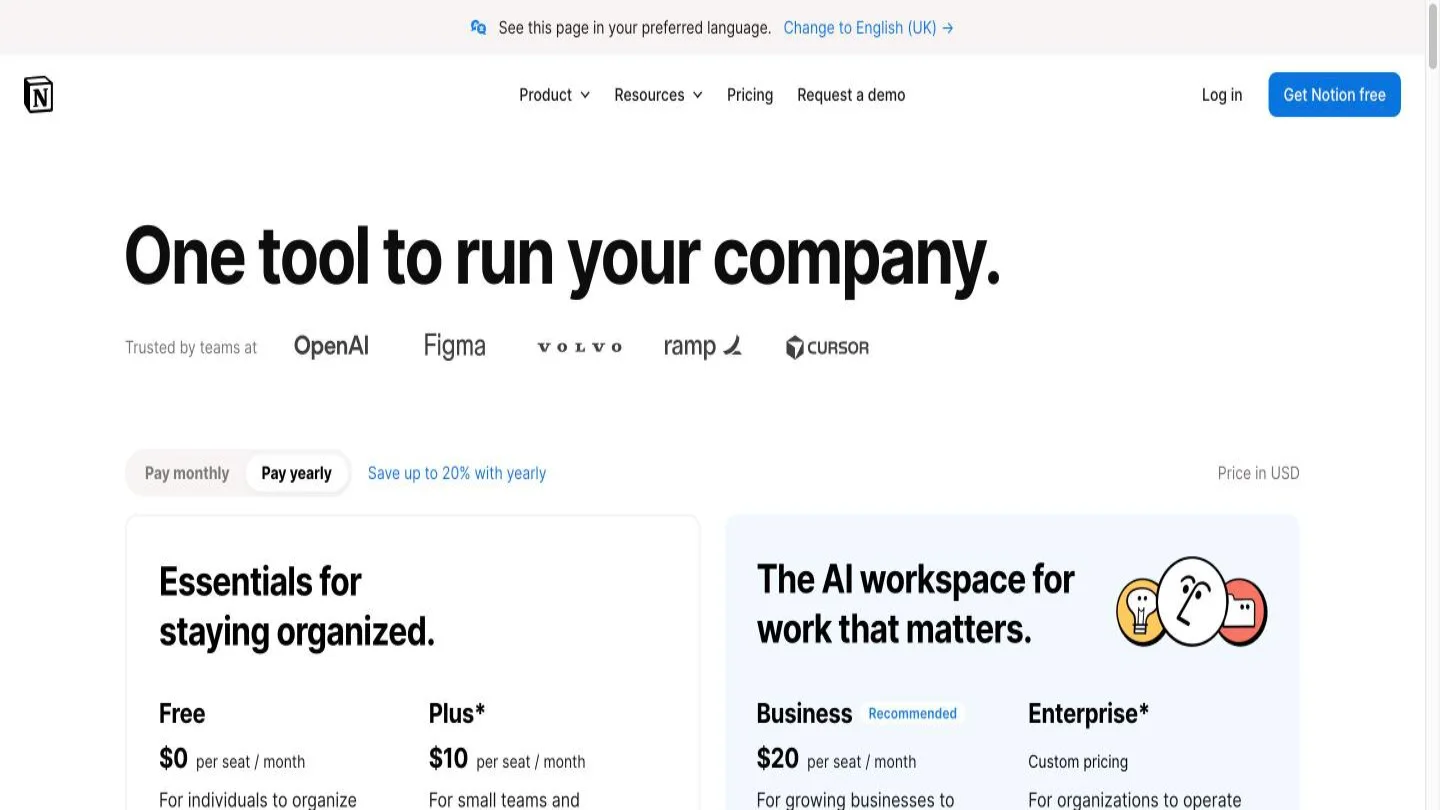
- Notion charges $10 for Plus and $20 for Business per member a month, and only Business includes Notion Agent and AI Meeting Notes.
- Obsidian is free to use, even at work, while shared vaults need Sync at $4 to $5 per user a month.
- Google Workspace’s Business Starter plan includes the Gemini app but not Gemini inside Docs, which starts on Business Standard.
Quick Picks by Team Type
Most teams can narrow the field in a minute by matching their situation to one of these profiles. The detailed reviews further down explain the trade-offs behind each pick.
- Startups that want one tool for everything: Notion, because notes, task lists, wikis and light databases live in one place and new hires learn it quickly.
- Software teams already on Jira: Confluence, since pages link to Jira issues and the free plan covers up to 10 users.
- Teams that keep asking the same questions: Slite, which is built as a knowledge base and answers questions from your docs with AI.
- Teams already paying for Google Workspace: Google Docs, because shared drives and real-time editing come with the plan you already have.
- Design-minded teams on a tight budget: Craft, which produces polished documents and has the lowest verified team price.
- Developers and researchers who want control: Obsidian, where notes stay as Markdown files and sync is an optional paid add-on.
- Teams that run processes from documents: Coda, whose docs behave like small apps with tables, buttons and formulas.
Free Plans, Per-User Prices and AI Features of Each Notes App
The table summarizes what each app costs per person and what you get for the money. Prices are the vendors’ published US rates, and the billing basis is noted where the vendor states it.
| App | Free plan for teams | Paid team price per user a month | Real-time co-editing | Built-in AI | Easiest export |
|---|---|---|---|---|---|
| Notion | Yes, with block limits for 2+ members | Plus $10, Business $20 | Yes | Full AI on Business; trial on Free and Plus | Markdown, CSV, HTML, PDF |
| Confluence | Yes, up to 10 users and 2 GB | Standard and Premium, quoted by seat count | Yes | Rovo on Standard and above | PDF, Word |
| Slite | No, 14-day trial | Basic $10, Pro $20 (billed yearly) | Yes | Ask and AI editing on all plans | PDF, Markdown, HTML |
| Google Docs | Free personal accounts | Included in Google Workspace plans | Yes | Gemini in Docs from Business Standard | Word, PDF, Markdown and more |
| Craft | One-person free plan | Team $6 monthly or $5 yearly (3 to 99 members) | Yes, in shared spaces | AI credits included with Plus benefits | Markdown, PDF, Word |
| Obsidian | App is free | Sync $4 yearly or $5 monthly | Shared vaults through Sync | No built-in AI plan | Plain Markdown files on disk |
| Coda | Free to start | Paid seats only for Doc Makers | Yes | AI credits for paid Doc Makers | Harder, because docs act like apps |
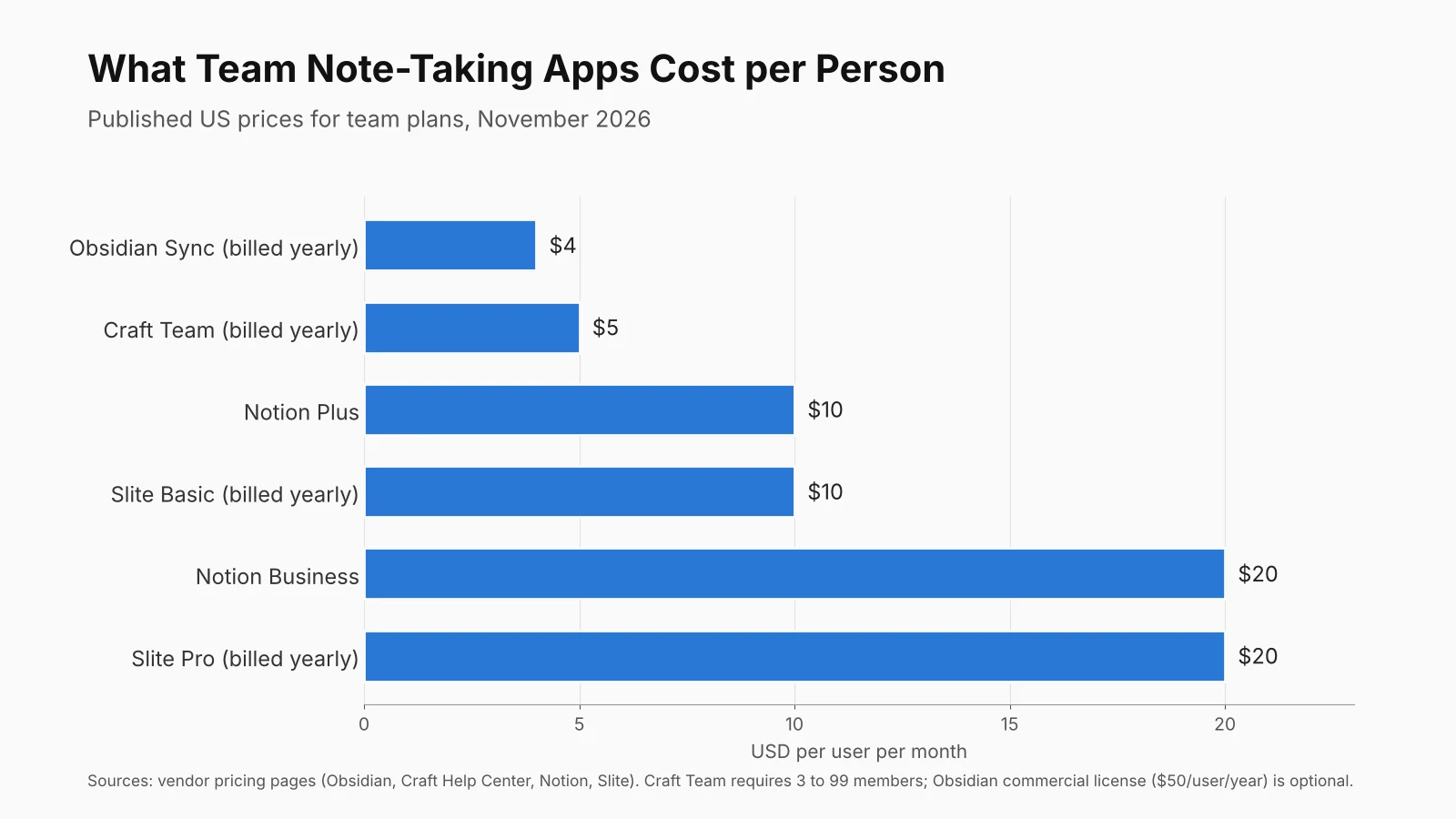
Per-seat price is only half the story, because several of these apps charge in different ways. Craft’s Team plan starts at three members, Obsidian charges for sync rather than the app, and Coda charges only the people who build documents. If you want the background on why software companies price this way, our explainer on SaaS pricing models covers per-seat, usage and hybrid pricing.
What an Eight-Person Team Would Pay in a Year
Small differences per seat add up quickly across a team and a full year. The figures below multiply each published price by eight people and twelve months, so you can see the real yearly budget for a typical small company.
| Plan | Price used | Yearly cost for 8 people |
|---|---|---|
| Confluence Free | $0, up to 10 users | $0 |
| Obsidian Sync | $4 per user a month, billed yearly | $384 |
| Craft Team | $60 per member a year | $480 |
| Craft Team | $6 per member a month, billed monthly | $576 |
| Obsidian Sync plus optional commercial license | $4 a month plus $50 a year per user | $784 |
| Notion Plus | $10 per member a month | $960 |
| Slite Basic | $10 per user a month, billed yearly | $960 |
| Notion Business | $20 per member a month | $1,920 |
| Slite Pro | $20 per user a month, billed yearly | $1,920 |
Two details in the table matter for growing teams. Confluence stays free until the team hits 11 people, so a growing startup should plan for the jump to a paid tier. Notion Business and Slite Pro cost the same, which means the choice between them should rest on the kind of tool you want, an all-purpose workspace or a focused knowledge base, rather than on price.
Seven Note-Taking Apps for Small Teams, Reviewed
Notion: Best All-Round Workspace for Small Teams
Notion works like a set of building blocks. A page can hold meeting notes, a checklist, an embedded file or a database of projects, and pages nest inside one another to form a team wiki. That flexibility is why so many startups use it for everything from onboarding guides to product roadmaps, and it is also the main risk, because an untidy workspace gets hard to search within a year.
Notion’s Free plan keeps 7 days of page history and limits uploads to 5 MB, and workspaces with two or more members get a limited number of blocks. Plus costs $10 per member a month, keeps 30 days of history and allows 5 GB uploads. Business costs $20 per member a month, keeps 90 days of history, adds SAML single sign-on and includes Notion Agent, AI Meeting Notes, Enterprise Search and Research mode, the last two in beta. Free and Plus only get a limited AI trial. Custom agents are billed separately at $10 per 1,000 Notion credits on any plan.
Best for: startups and agencies of 3 to 30 people that want notes, wikis and light project tracking in one app.
Confluence: Best Free Wiki for Teams Up to 10
Confluence is Atlassian’s team wiki, and it feels more structured than Notion. Content lives in spaces, pages follow templates, and permissions can be set for the whole site, a space or a single page on paid plans. For teams that already track work in Jira, the links between pages and issues make it the natural home for specs, decisions and release notes.
Confluence Free supports up to 10 users and 2 GB of storage, but permissions cannot be customized and anonymous access is not available. Standard raises storage to 250 GB, adds global, space and page permissions, and includes AI features such as Rovo. Premium adds unlimited storage, page analytics showing views and readers, and higher AI quotas, while Enterprise adds Atlassian Guard Standard for SSO and SCIM. Atlassian prices Standard and Premium per user, and its pricing calculator adjusts the estimate to your seat count and billing cycle.
Best for: software and product teams already using Jira, and any team of up to 10 that wants a real wiki without paying.
Slite: Best Knowledge Base With AI Answers
Slite is narrower than Notion on purpose. It is a place for documents that a team needs to trust, such as policies, onboarding guides and process notes, and it adds tools to keep them current. Doc verification marks pages as checked, and the Knowledge Management Panel helps owners spot stale content before it misleads someone.
Slite charges $10 for Basic and $20 for Pro per user a month on yearly billing, with a 14-day trial and no free plan. Basic includes 30 AI questions per seat each month answered from your Slite docs, 30 AI edits per user a month, 5 GB of storage per user, uploads up to 200 MB and exports to PDF, Markdown and HTML. Pro adds the Slite Agent, search across connected tools, unlimited AI edits, 50 AI credits per seat, OpenID single sign-on and a custom domain for public docs. Enterprise adds reader-only seats, audit logs and SCIM.
Best for: remote and hybrid teams that answer the same questions over and over and want a clean, searchable source of truth.
Google Docs: Best for Teams Already on Google Workspace
Google Docs is not a dedicated notes app, but for many small teams it is the one they already pay for. Real-time editing, comments and suggestions work well, and shared drives keep files owned by the company rather than by whoever created them. The weak spot is structure, because a folder of documents is harder to browse than a linked wiki unless someone keeps it organized.
AI access depends on the plan. Every Google Workspace Business plan includes the Gemini app, but Gemini inside Docs, Sheets, Drive and Meet starts on Business Standard. Business Standard and Business Plus also include Gemini in Meet, which summarizes meetings and takes notes. Pooled storage is 30 GB per user on Business Starter, 2 TB on Standard and 5 TB on Plus, and NotebookLM access runs from basic on Starter to expanded on the higher plans.
Best for: teams that live in Gmail and Drive and want shared notes without adding another subscription.
Craft: Best Value for Polished Shared Docs
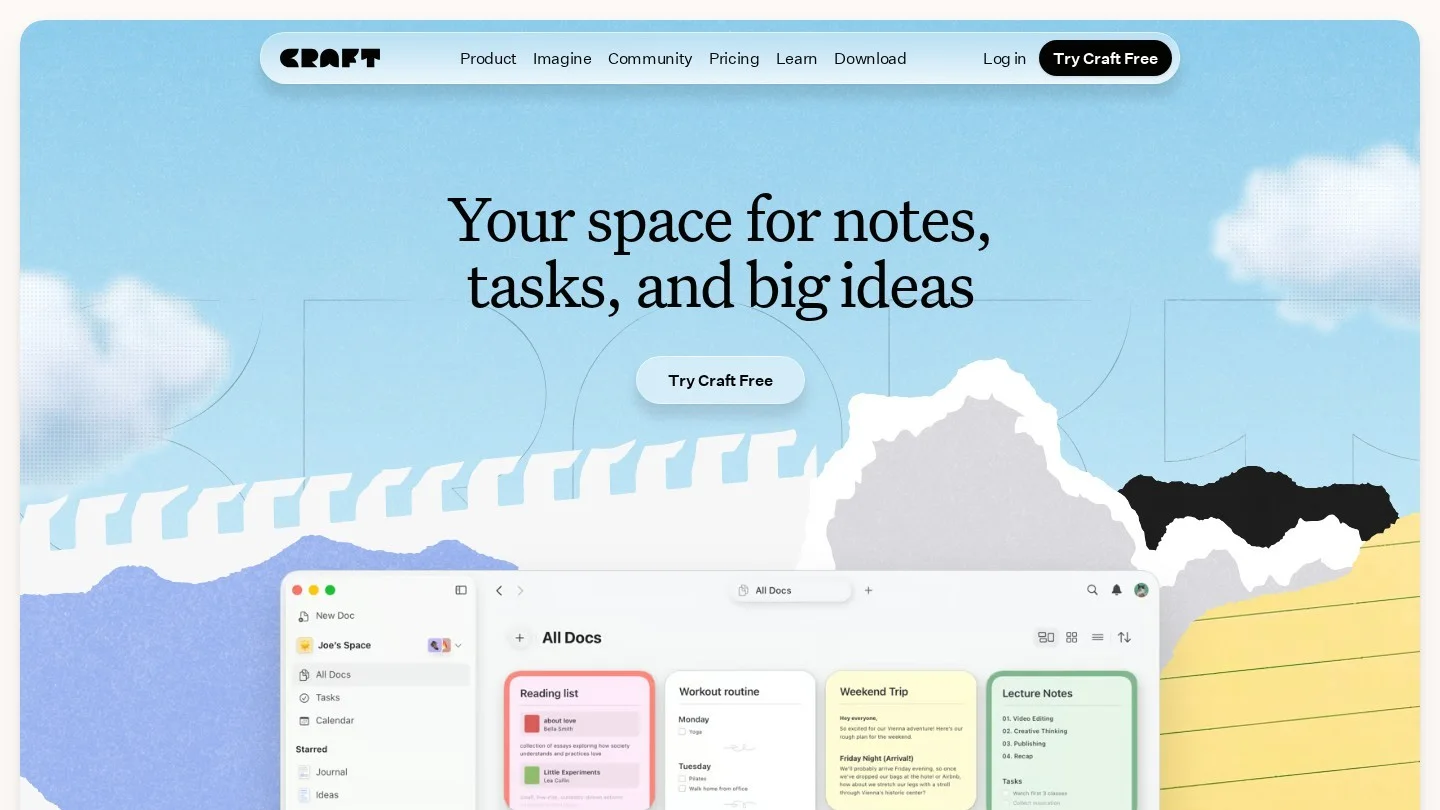
Craft started as a beautiful writing app for Apple devices and now runs on the web and other platforms too. Documents look finished with little effort, which helps when notes double as client proposals or shared briefs. It has fewer database features than Notion, so it suits teams that write more than they track.
Craft’s Team plan costs $6 per member a month or $60 per member a year, for teams of 3 to 99 people. Each member gets the benefits of a Plus account, which include unlimited documents, 30-day version history, 1 TB of storage per space and 5 GB file uploads, and the team gets up to 25 shared spaces. The one-person free plan allows up to 1,500 content blocks, 1 GB of storage and 15 AI credits. Seats you add are billed straight away, and lowering the seat count needs a message to support.
Best for: small creative, consulting and marketing teams that want attractive shared docs at the lowest verified price.
Obsidian: Best for Teams That Want to Own Their Files
Obsidian stores every note as a plain Markdown file in a folder on your device, called a vault. Notes link to each other, and a graph view shows how ideas connect. Because the files are ordinary text, they open in any editor and can sit in your own backup or version control system, which is why developers and researchers like it.
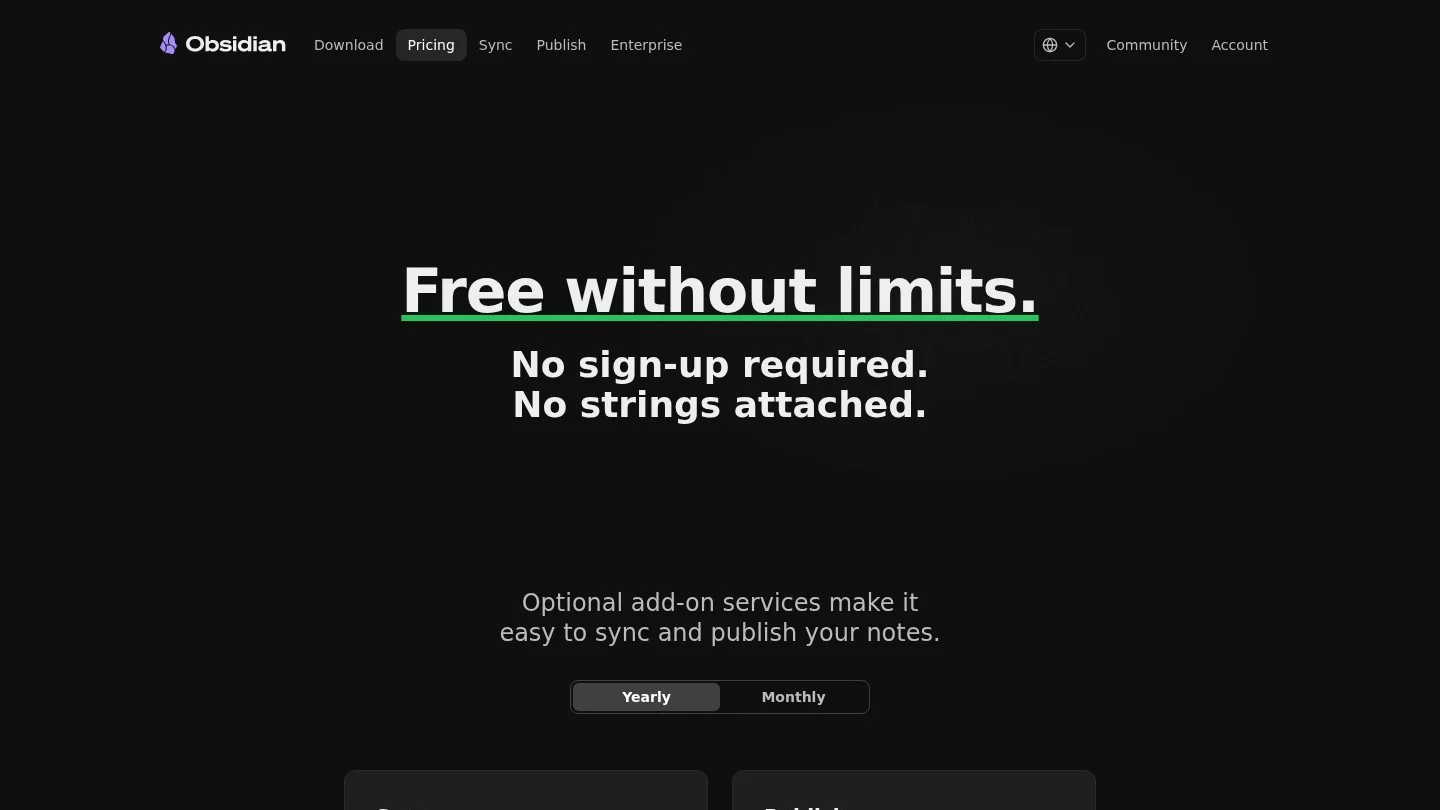
Obsidian is free with no sign-up, and businesses are not required to buy a commercial license, although the company encourages organizations to pay $50 per user a year. Sync costs $4 per user a month billed yearly or $5 billed monthly, and it adds end-to-end encryption, version history and shared vaults for collaboration. Publish, which turns notes into a public website, costs $8 per site a month billed yearly or $10 billed monthly. Collaboration is simpler than in Notion or Google Docs, so teams that need many people editing the same page at once should look elsewhere.
Best for: technical teams, researchers and privacy-minded groups that want local files and are comfortable with a lighter collaboration model.
Coda: Best When Your Notes Need to Run a Process
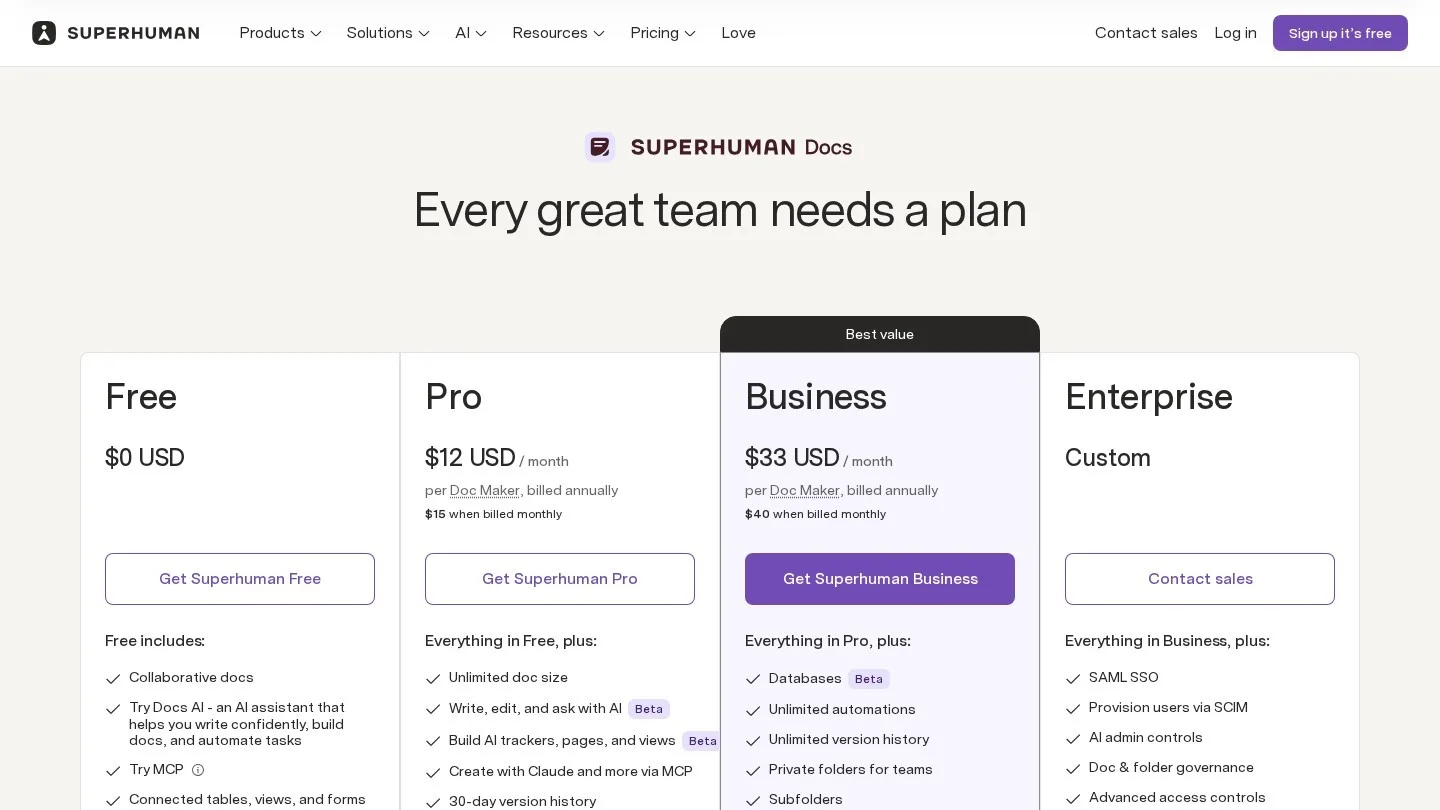
Coda blends documents with spreadsheets and simple apps. A meeting-notes doc can include a table of action items, buttons that assign owners and formulas that roll up progress, so the notes do work instead of sitting still. The product now sits under the Superhuman brand, and it is free to start, with paid plans for teams and Enterprise.
Coda’s billing model is unusual and good for small teams. Under the structure it set out in its October 2023 pricing update, only Doc Makers, the people who create docs, pay for a seat, while editors are free. Coda AI is included for paid Doc Makers, with monthly credits pooled across the workspace. A ten-person team where two people build the docs pays for two seats, not ten.
Best for: operations-heavy teams that want notes, trackers and lightweight workflows in one document.

AI in Team Notes: What Each Plan Actually Includes
Every vendor now advertises AI, but the useful question is which plan you need before your team gets it. In practice, small teams use AI in notes for three jobs: summarizing meetings, answering questions from existing docs and drafting or editing text.
- Notion: AI Meeting Notes, Notion Agent and Enterprise Search come with Business at $20 per member a month. Free and Plus get a limited trial only.
- Slite: Even Basic answers 30 questions per seat a month from your docs, and Pro extends search to connected tools and adds the Slite Agent.
- Confluence: Rovo AI is included from Standard upward, with higher usage quotas on Premium and Enterprise.
- Google Docs: Gemini in Docs and meeting notes in Meet start on Business Standard, while Starter gets the separate Gemini app.
- Craft: Credits are included in Plus benefits, and the free plan has 15 AI credits.
- Coda: AI is included for paid Doc Makers, with credits pooled across the workspace.
If meeting notes are your main use, compare these built-in options with dedicated recorders in our roundup of AI tools for meeting notes. Before you switch on any AI feature that reads company documents, agree on what data it can touch, and an AI acceptable use policy is the simplest way to write that down for a small team.
Getting Your Notes Out Again: Export and Lock-In
Switching note apps is painful, so check the exit before you move in. The more an app behaves like a database, the harder it is to leave, because tables, relations and formulas do not survive as plain text.
Obsidian is the easiest to leave, since your notes are already Markdown files in a folder you control. Slite exports to PDF, Markdown and HTML on every plan. Notion can export pages as Markdown with CSV files for databases, or as HTML and PDF, but linked databases and page properties often need cleanup after the move. Google Docs downloads files as Word, PDF, Markdown and other formats, and Craft exports to Markdown, PDF and Word. Confluence exports single pages to PDF and Word, and administrators can export whole spaces as well. Coda is the hardest to move, because a doc that runs a process has no simple file equivalent.
A practical rule for small teams is to run a test export in the first month. Export ten real pages, open them in another app and see what breaks, because it is far easier to change course with 50 pages than with 5,000.
Five Questions to Settle Before Your Team Picks One
The best app is the one your team will keep using six months from now. These questions usually decide it faster than a feature checklist.
- What will people write most often: meeting notes, a wiki of how-to guides, project specs or client documents? A wiki points to Confluence or Slite, while mixed use points to Notion.
- What do you already pay for: a Google Workspace or Atlassian bill may already cover a good option, so start there before adding a subscription.
- How many people will create content rather than only read it: if only a few people build documents, Coda’s maker billing or Confluence’s free tier can save real money.
- Who needs access from outside: count the freelancers and clients who will need guest access, and check each plan’s guest rules before you commit.
- What must stay private: never store shared logins in notes, and use a password manager from our list of LastPass alternatives instead. Our small business cybersecurity checklist covers access controls for shared tools too.
Notes work best when people have time to write them. Teams that set aside a short documentation block each week, a habit covered in our time blocking guide, tend to keep their wiki current. For teams spread across countries, written notes also replace meetings that no one can attend, and a time zone converter helps you find the few live slots worth keeping.
Note-Taking App Questions Small Teams Ask
What Is the Best Free Note-Taking App for a Small Team?
Confluence Free is a good free option for a team wiki, covering up to 10 users and 2 GB of storage. Notion’s Free plan also works for very small teams, but workspaces with two or more members face a block limit. Obsidian is free to use, though shared vaults need the paid Sync add-on.
Is Notion or Confluence Better for a Small Team?
Notion is better for teams that want one flexible space for notes, tasks and light databases. Confluence is better for software teams on Jira and for teams that want a structured wiki with page-level permissions. Confluence is also free for up to 10 users, while Notion’s team AI features need the $20 Business plan.
Can Several People Edit the Same Note at Once?
Yes, in Notion, Confluence, Slite, Google Docs, Craft and Coda, which all support real-time co-editing. Obsidian handles teamwork through shared vaults on its Sync service, which suits teams that rarely edit the same note at the same moment.
Which Team Note App Has the Best AI Features?
For AI that answers questions from your own documents, Slite includes it even on Basic, and Notion includes Enterprise Search and AI Meeting Notes on Business. Confluence includes Rovo on paid plans, and Google adds Gemini in Docs from Business Standard upward.
How Hard Is It to Switch Note-Taking Apps Later?
It depends on how structured your notes are. Plain documents move easily as Markdown or Word files, while databases, linked pages and formulas usually need manual cleanup. Obsidian and Slite make leaving easiest, and app-like tools such as Coda make it hardest.