A website’s CMS, or content management system, is the software the owner uses to build and edit pages, such as WordPress, Shopify or Drupal. To find out what CMS a website uses, open its page source and search for the word “generator”. WordPress, for example, prints a tag that reads <meta name="generator" content="WordPress 6.8" />. If the tag is missing, paste the address into a free checker such as BuiltWith, Wappalyzer or WhatCMS, and then confirm the answer with one more clue, such as the file paths or the HTTP headers.
A single clue can be hidden or faked, so the useful skill is reading three or four clues together. The six checks that follow run from viewing the source to file paths, headers, robots.txt, the RSS feed and free checkers, and they end with a table for cross-checking.

Open the Page Source and Search for “generator”
The page source often names the CMS in a meta tag called “generator,” so searching for that word is the fastest first check. Right-click any page and choose View Page Source. Then press Ctrl+F (Cmd+F on a Mac) and type generator.
Read the WordPress Tag and Version
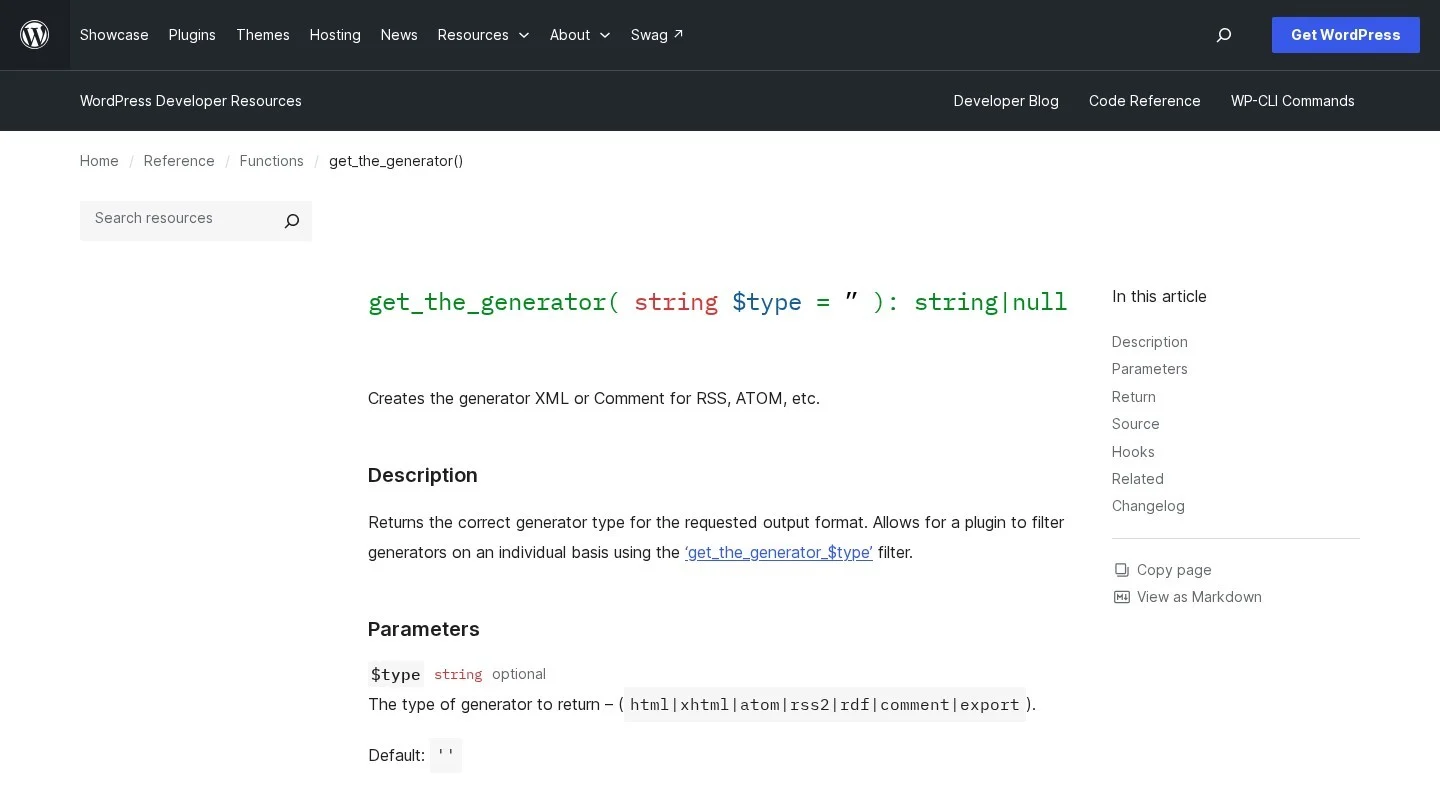
A WordPress generator tag shows the word WordPress and the version number. WordPress builds it with a function called get_the_generator, and by default it uses the XHTML form, which looks like this:
<meta name="generator" content="WordPress 6.8" />The number is the WordPress version, so the same tag also tells you how up to date the site is. WordPress adds it on the wp_head hook, through a function named wp_generator.
Look for Drupal’s Name in the Same Spot
Drupal prints a generator tag too, and a Drupal 7 tag has the value Drupal 7 (https://www.drupal.org). Other platforms use the same meta tag with their own name, which is why the search for “generator” always comes first.
Expect the Tag to Be Missing Sometimes
The generator tag is sometimes missing, because site owners can switch it off. On WordPress, a single line in a theme or plugin does it:
remove_action( 'wp_head', 'wp_generator' );Drupal, meanwhile, has a module for the same job. Remove META and Headers strips the generator tag from the head and the X-Generator header from the response. So a missing tag proves nothing, and you should move on to the next clue.
Scan the File Paths for Platform Folders
File paths in the source code reveal the CMS through the folders that images, scripts and stylesheets load from, such as wp-content on WordPress and /cdn/shop/ on Shopify. These paths are harder to hide than a meta tag, because the theme files have to live somewhere.
Search for wp-content on WordPress Sites
The source of a WordPress site usually contains wp-content, since WordPress keeps plugins in paths such as wp-content/plugins and media in wp-content/uploads. So image links with that folder are a firm WordPress sign.
However, WordPress lets owners move the wp-content folder and rename it. As a result, no wp-content does not rule WordPress out. In that case, check the headers and robots.txt next.
Search for /cdn/shop/ on Shopify Stores

A Shopify store loads its theme files from a /cdn/shop/ path, because Shopify themes use the asset_url filter. The pattern looks like this:
//polinas-potent-potions.myshopify.com/cdn/shop/t/4/assets/cart.js?v=8397...Search the source for /cdn/shop/ and myshopify.com. Many stores use a custom domain, though, so the myshopify.com address may not show in the browser bar, and the /cdn/shop/ path is the better clue. Also, open the browser console and type Shopify. A Shopify store has a global Shopify JavaScript variable, so the console returns an object.
Read also: How to Check When a Website Was Created, 5 Ways
Inspect the Response Headers in DevTools
Response headers can name the CMS in fields such as X-Generator and X-Powered-By, and you read them in the DevTools Network tab. First open DevTools, choose the Network tab and reload the page. Then click the first request, which is the page itself, and read its response headers.
- X-Generator: Drupal can send its name here, although a module can remove it.
- X-Powered-By and Set-Cookie: These two are the most common header clues and the easiest to find.
- Server: this shows the web server or CDN, such as Apache, Nginx, Cloudflare, Akamai or Amazon CloudFront. It tells you about hosting, not the CMS.
That last point trips people up. For instance, a Cloudflare header only means the site sits behind Cloudflare, and the CMS can still be anything.
Open robots.txt and the RSS Feed
A WordPress site often gives itself away in robots.txt through an admin-ajax.php line, and in its RSS feed through a generator line. To check, add /robots.txt to the domain and load it. WordPress can generate this file itself, through a function called do_robots, and its default output has three lines:
User-agent: *
Disallow: /wp-admin/
Allow: /wp-admin/admin-ajax.php
The admin path follows the site’s admin_url setting, so it may differ. Still, an admin-ajax.php line is a firm WordPress sign. If you want to see how these rules are put together, our robots.txt generator builds one line by line.
Next, try the feed. WordPress puts a generator line in RSS feeds as well, in the form <generator>https://wordpress.org/?v=6.8</generator>. So a site that removed the meta tag may still name itself in the feed.
Find Out What CMS a Website Uses With a Free Checker
The free checkers that find out what CMS a website uses are BuiltWith, Wappalyzer and WhatCMS, and each gives an answer in seconds. They read the same kinds of clues you can check by hand and then match them against a database of signatures. So use one when you are in a hurry or need to check many sites.
Run a Free Lookup on BuiltWith

BuiltWith is free for single site lookups and tracks more than 128,000 internet technologies, from analytics to hosting and CMS. Paid plans add lead lists and exports, at $295 a month for Basic, $495 for Pro and $995 for Team.
Install Wappalyzer for One-Click Checks

Wappalyzer works two ways: as a browser extension that checks each page you visit, and as an online lookup that needs no install. Either way, it reads source code, HTTP headers, cookies and JavaScript variables to spot CMSs, frameworks and ecommerce platforms.
Check WhatCMS for a CMS-Only Answer

WhatCMS answers only the CMS question, and it detects 1,540 website technologies by looking for traces such as meta generator tags and custom headers. For bigger jobs, it offers an API and batch uploads for hundreds or thousands of URLs.
WhatCMS also tracks how widely each platform is used. For instance, it has detected Shopify on 1,461,509 websites, with a 3.17% share of the top one million sites.
| Checker | What it reads | Free use | Best moment to use it |
|---|---|---|---|
| BuiltWith | 128,000+ technologies, including CMS, analytics and hosting | Individual site lookups | When you want the full tech stack, plus usage trends |
| Wappalyzer | Source code, headers, cookies, JavaScript variables | Online lookup and browser extension | While browsing, one page after another |
| WhatCMS | Meta generator tags, custom headers, markup, scripts | Lookup box on whatcms.org; free or premium API plans | When you only need the CMS name, or need batch checks |
Switch to Bulk Checks for Sales Research
All three checkers offer bulk checks for sales teams that need the CMS of hundreds of sites at once. BuiltWith builds lead lists of sites that use a given technology. Wappalyzer offers lead lists, website alerts and an API. WhatCMS, in turn, takes batch uploads. So an agency that rebuilds old WordPress sites can pull a list of them in one go.
Cross-Check the Clues Before You Trust One
Two matching clues are enough to trust a CMS result for most jobs. For example, a generator tag plus wp-content links settles WordPress. Run down the table in order on any site.
| Clue | Where to look | What it points to | Can the owner hide it? |
|---|---|---|---|
| meta name=”generator” | Page source | WordPress, Drupal and others, often with a version | Yes |
| wp-content in file links | Page source | WordPress | Yes, the folder can be renamed |
| /cdn/shop/ or myshopify.com | Page source | Shopify | Hard to hide |
| Global Shopify variable | Browser console | Shopify | Hard to hide |
| X-Generator header | DevTools, Network tab | Drupal | Yes, with a module |
| admin-ajax.php in robots.txt | /robots.txt | WordPress | Yes, with a custom file |
| Generator line in the feed | RSS feed | WordPress | Yes |
But if every clue comes back empty, the site may run a headless CMS behind a JavaScript framework. In that setup, the CMS only feeds content through an API, so the public pages often carry no sign of it. Our guides to choosing a CMS for React and the best CMS for Astro explain how those builds work.
The same habit helps when you size up a site you might buy. In that case, pair the CMS check with our steps on how to check when a website was created, and then compare listings on our Flippa alternatives page.
Read also: Website Speed Optimization Checklist: Fixes That Help Most
Website CMS Lookup Questions
Is There a Free Way to Check What CMS a Site Uses?
Yes, there is a free way to check what CMS a site uses: read the page source, which needs no tool. BuiltWith is also free for single site lookups, and Wappalyzer offers an online lookup and a browser extension.
How Can I Tell if a Website Is Built on WordPress?
You can tell a website is built on WordPress if the source has a generator tag that names WordPress or wp-content in image links. Then load /robots.txt and look for admin-ajax.php, since two of these together settle it.
How Do I Know if a Store Runs on Shopify?
You know a store runs on Shopify if its file links contain /cdn/shop/ or myshopify.com. Also type Shopify in the browser console, and a Shopify store returns an object, because the platform sets a global Shopify variable.
Can a Website Hide Its CMS?
A website can partly hide its CMS. WordPress owners can remove the generator tag with one line of code and can rename wp-content, while Drupal owners can strip the tag and the X-Generator header with a module. Still, file paths and scripts often give the platform away.
Why Does a CMS Checker Say “Unknown”?
A CMS checker returns “Unknown” when the site has removed its tags and headers, is custom-built or uses a headless CMS. A headless CMS sends content to a separate front end and leaves no trace in the HTML.