
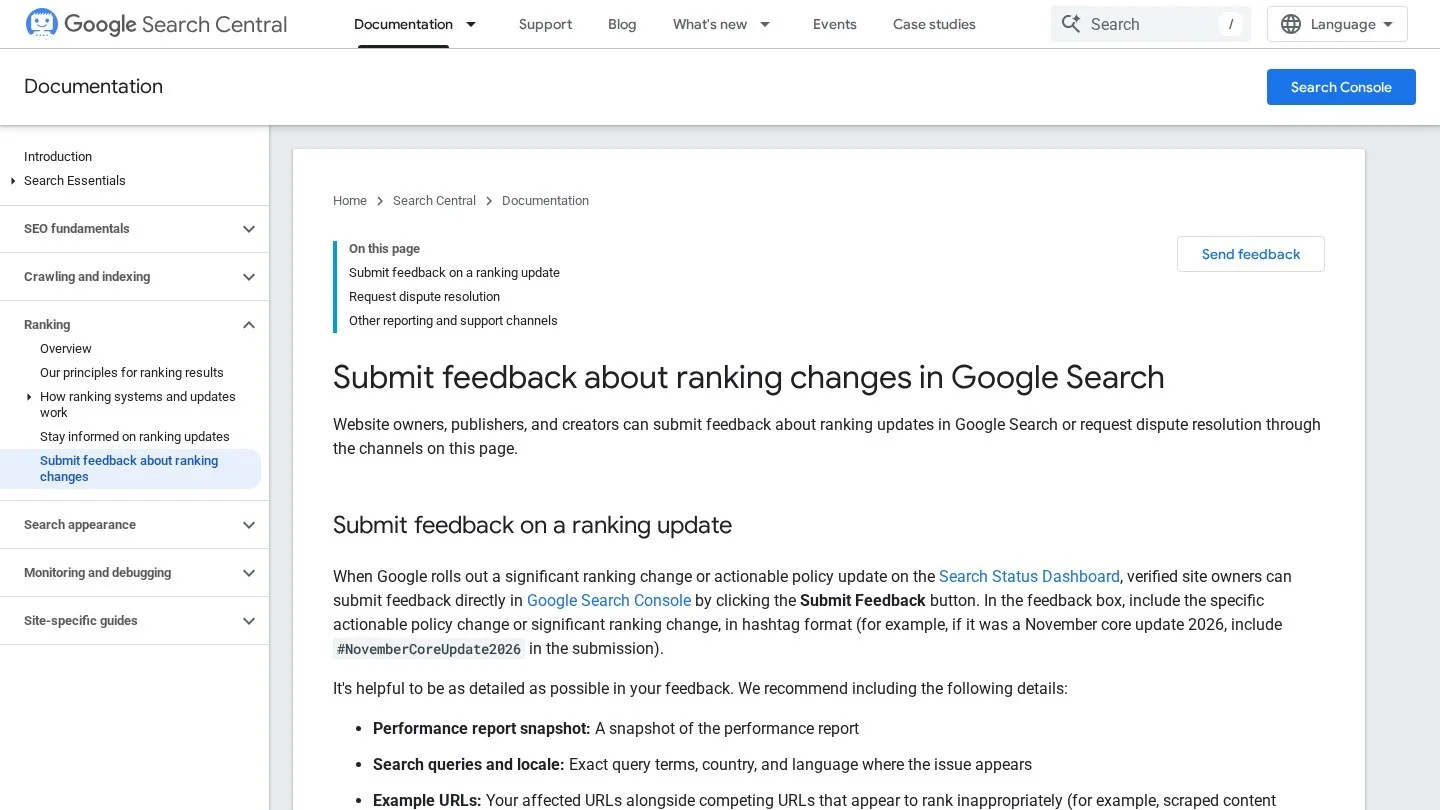
Google added a new ranking section to its Search Central documentation on Nov. 24, including a page that tells site owners how to send feedback when a ranking update hits their traffic. The feedback goes through a button in Search Console, and Google asks for queries, URLs and before-and-after data. But the same page says plainly that a submission will not lift or lower any one page.
The new pages come months after a UK regulator, the Competition and Markets Authority, set a fair ranking rule for Google Search in June. That rule calls for clear criteria, notice of big changes and a way for publishers to raise concerns. As a result, some of the most concrete promises in the new pages apply to UK sites first, including an indexing appeal that opens on Dec. 17.
For a typical small business site, the news is less about new rights than about knowing which door to knock on. Google now spells out where updates are announced, how long to wait before judging a traffic drop, and which problems have a real appeal path.
Three New Pages in Google’s Docs
Google’s documentation changelog lists three ranking pages added on Nov. 24. One sets out Google’s principles for ranking results, one covers how to stay informed about ranking updates, and one explains how to submit feedback about ranking changes. On the same day, Google also published pages on generative AI controls and on attribution in its AI search features.
The changelog shows a busy week for site owners in general. For example, Google added an FAQ to its back button hijacking spam policy on Nov. 23, and on Nov. 27 it expanded its advice on 404 errors and crawl budget.
The Feedback Route, Step by Step
Verified site owners send ranking feedback through a Submit Feedback button in Search Console. It applies when Google posts a big ranking change or policy update on its Search Status Dashboard. The feedback page asks you to tag the update by name with a hashtag, then attach as much detail as you can.
- A snapshot of your Search Console performance report
- The exact queries, plus the country and language where the problem shows up
- Your affected URLs and the competing URLs that seem to rank wrongly
- When and how your pages were hit, such as a screenshot of the traffic drop
- Why the current results fail searchers, with impression or position data if it helps
- How the change hurt a UK market you operate in, if you have one
The catch is in the fine print. Google’s engineers review these reports in aggregate to find problems across the system, and the page states that “Submitting feedback doesn’t result in manual ranking adjustments for individual URLs.” It also does not promise a reply. So the button is a way to flag a pattern, not a way to win back lost traffic for one site.
Read also: Microsoft Is Retiring To Do Next June. Business Users’ Old Tasks Won’t Move to Planner
Where Real Appeals Still Exist
Real appeals exist only for certain problems, and the new page lists each one apart from ranking feedback. The table sums up who can use each route and what to expect.
| Problem | Route | What to Expect |
|---|---|---|
| Broad ranking drop after an update | Submit Feedback in Search Console | Reviewed in aggregate, no change for one URL |
| Manual action | Fix pages, then send a reconsideration request | Google confirms when the review is done |
| SafeSearch flag | Fix issues, then ask for a review | Wait at least 2 to 3 months after fixes |
| Copyright removal | DMCA counter notice | For removals you think were an error |
| Whole UK site dropped from the index by hand | CMA indexing appeal | Link goes live on Dec. 17 |
| EU site missing from Search | Digital Markets Act appeal | Check indexing errors first |
Why the UK Gets a Head Start
UK sites get extra notice and an extra appeal because of British law, not a global policy shift. The CMA’s fair ranking conduct requirement, imposed on June 17, says Google must rank organic results on “objective and non-discriminatory criteria,” including in its AI search features. It also requires notice of material changes and a way for publishers to raise concerns about manual actions and big changes.
Google’s new stay informed page reflects that. It says Google gives advance notice of changes that may cause a big ranking shift for UK users, in line with CMA rules. Everywhere else, it promises notice for broad updates such as core updates and for policy changes that need site owners to act. Pre-announcements, start dates and completion notices all go on the Search Status Dashboard.
The principles page adds Google’s own pledges. It says “No result receives preferential treatment” across web links, AI Overviews and other features, and that manual changes are made only for legal duties or content policy breaches. It also states, “if we can’t show a change actually makes things better for people, we don’t launch it.”
A Checklist for Site Owners
Site owners should treat these pages as a playbook for the next update, since the next core update will test them. Start by subscribing to the Search Status Dashboard feed so you see an update the day it starts.
- Do not judge a drop mid-rollout. Google says to wait until an update is marked complete, plus at least a week of data after it ends.
- Save dated exports of your Search Console performance data each month, so you have the before-and-after numbers Google asks for.
- Keep a short list of your top queries and the rival pages that rank for them, since the feedback form wants both.
- Check whether a drop is really a manual action, a SafeSearch flag or a copyright removal, because those have their own appeal routes.
- Review the Search generative AI setting in Search Console. Google’s help page says the opt-out from AI Overviews and AI Mode is not a ranking signal for the rest of Search, and changes usually apply within 1 to 2 days.
For more on handling an update, see our coverage of the Google December core update and our data on Google’s search market share in the AI era. If you are moving or rebuilding a site, our website migration SEO checklist and website redesign checklist for SEO help you avoid a self-made drop, and our SEO terms glossary explains the jargon in Google’s docs.