
Most API integrations work fine on the happy path. They break on a timeout, a duplicate webhook or a rate limit at 2 a.m. So the checklist that matters covers failure first. Lock down your secrets and sort errors into “retry” and “stop.” Make every write safe to repeat and verify every webhook. Then pin your API version and test the bad cases before launch.
These checks apply to almost any third-party API, from payments to CRMs. They draw on the Stripe error handling docs, the GitHub webhook docs and the OWASP API Security Top 10. Each section ends with items you can tick off in a pull request.
Read the Provider’s Rules Before Writing Code
Every API has limits that the code samples skip. So before you write a line, find four things in the docs. Look for the auth method, the rate limits, the versioning policy and the error codes. Also look for a sandbox or test mode, so you never test against live data.
Write these down in your repo, next to the client code. When something fails six months later, the next developer will thank you.
Checklist:
- I know how the API authenticates and how keys are scoped.
- I know the rate limits and what the API returns when I hit them.
- I know which API version I am on and how upgrades work.
- I have a sandbox or test account for development.
Keep Credentials Out of Code
Leaked keys are the fastest way to turn an integration into an incident. Load Stripe secret keys from a server-side environment variable or a secrets manager. The same goes for GitHub webhook secrets: store them securely and never hardcode them or commit them to a repository.
Then limit what each key can do. Stripe offers restricted API keys and advises using one with only the permissions your requests need. That way, a leaked key from a reporting job cannot issue refunds.
Broken Authentication is the second risk on the OWASP API Top 10. Authentication mechanisms “are often implemented incorrectly.” So treat your own token handling with the same care as the provider’s.
Checklist:
- No keys, tokens or secrets in source code, logs or error messages.
- Secrets live in environment variables or a secrets manager.
- Each service uses its own key with the narrowest scope that works.
- I can rotate any key without a code deploy.
Handle Rate Limits Without Hammering the API
When you send too many requests, most APIs answer with HTTP 429 Too Many Requests. Stripe’s advice for a 429 is to retry with exponential backoff. That means you wait a little after the first failure, then longer after each next one.
Some providers tell you exactly what to do. Stripe sends a Stripe-Should-Retry header. When it reads true, retry with backoff. When it reads false, do not retry. When it is missing, decide from the status code. Many other APIs send a Retry-After header, so read it and wait that long before trying again.
Also, cap the number of retries. Stripe’s SDK examples set a maximum of two network retries. Endless loops turn a short outage into a self-made one.
Checklist:
- My client backs off exponentially on 429 and 5xx responses.
- It respects any retry header the provider sends.
- Retries have a maximum count and a timeout.
- Bulk jobs pace themselves under the documented limit.
Read also: How to Start a Fintech API Integration Business
Sort Errors Into Retry and Stop
Not every error deserves a second try. Stripe splits errors into three groups, and the split works for most APIs.
| Error type | Typical status | What to do |
|---|---|---|
| Content error | 4xx, such as 400 or 401 | Fix the request. Retrying the same bad request returns the same error. |
| Network error | No response, socket error or timeout | Retry with the same idempotency key and the same parameters. |
| Server error | 5xx, such as 500 or 503 | Treat the result as unknown. Check what happened before you try again. |
The server error case is the one teams get wrong. Stripe warns that a 500 may still have produced side effects. So do not fire off a fresh request with a new key. Instead, fetch the object, check the provider’s dashboard or wait for the webhook, and only then decide.
Status 409 deserves a special note. On Stripe, it can mean another request with the same idempotency key is still running. In that case, wait and retry with the same key. A new key could start a second operation.
Checklist:
- 4xx errors are logged with the provider’s error code and are not retried blindly.
- Network errors retry with the same idempotency key.
- 5xx results on writes trigger a status check before any new attempt.
- Every failed call logs a request ID I can share with the provider’s support team.
Make Every Write Safe to Retry
Idempotency stops one click from becoming two charges. The idea is simple to state: the same request, sent twice, should have the effect of one.
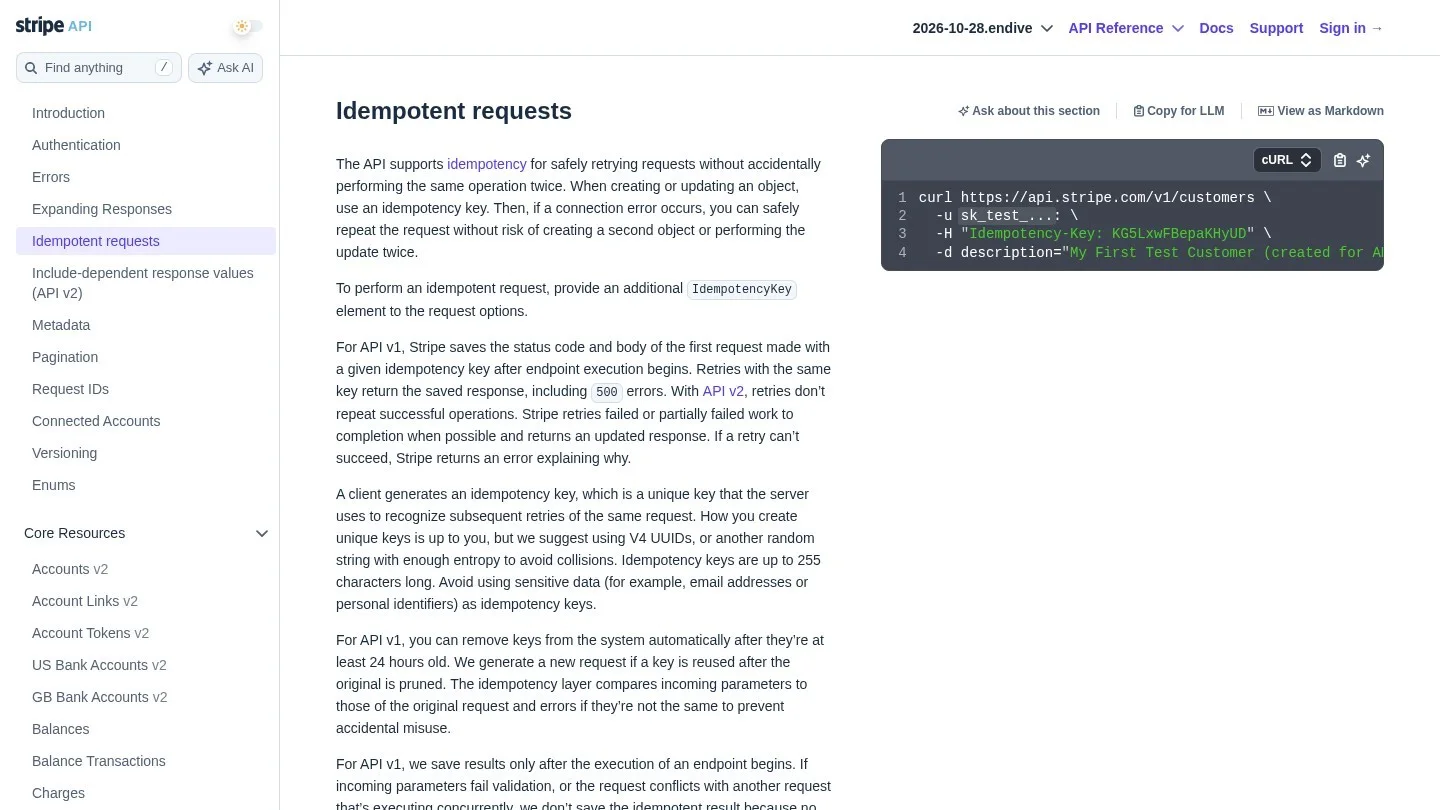
Stripe’s design is a good model. You send an Idempotency-Key header with each POST request. Stripe suggests a V4 UUID or another random string, up to 255 characters. Then Stripe saves the status code and body of the first request. A retry with the same key gets the saved response, even if it was a 500.
There are limits to know. Stripe keeps keys for at least 24 hours and may prune them after that. Reusing a key with different parameters returns an error. And you should not put sensitive data, such as email addresses, in a key.
Two practical rules follow. First, create the key once per operation and store it, so retries after a crash use the same key. Second, derive it from your own object when you can, such as a cart ID, to block double submits. Stripe also marks replayed responses with an Idempotent-Replayed: true header, which makes debugging easier.
Checklist:
- Every create or payment request carries an idempotency key.
- The key is generated once and saved before the first attempt.
- Keys contain no personal data.
- Retries stay inside the provider’s key window.
Verify Every Webhook Before You Trust It
Anyone can POST to your webhook URL. So the first job of a webhook handler is to prove the message came from the provider.
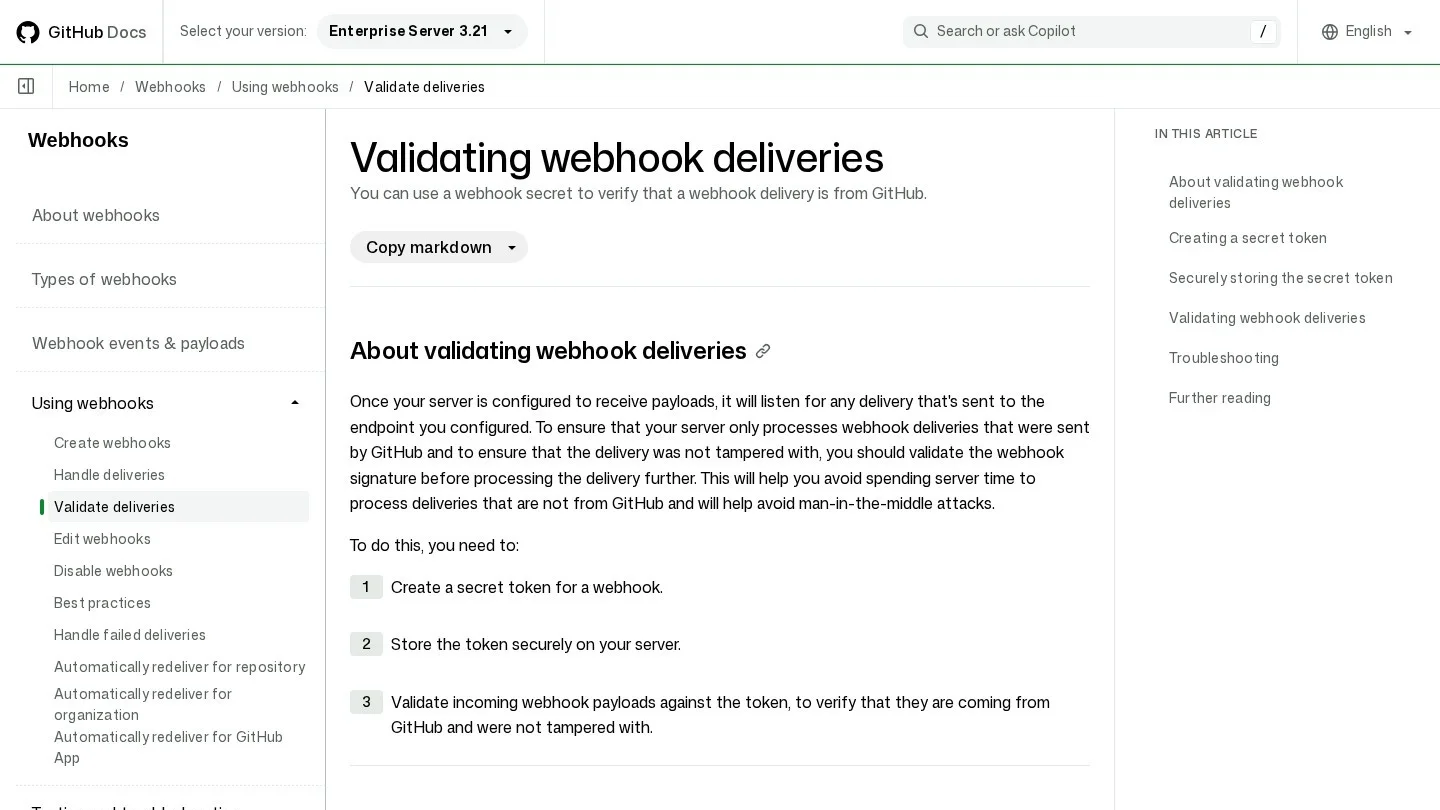
GitHub shows how this works. It signs each delivery with your webhook secret using HMAC SHA-256 and sends the result in the X-Hub-Signature-256 header. Your code computes the same signature over the raw body and compares the two. GitHub advises a constant-time comparison, such as crypto.timingSafeEqual, and warns against a plain equals check. It also says to verify before anything changes the payload, such as a proxy or a JSON parser.
Then plan for messy delivery. Webhooks can arrive twice, late or out of order. Stripe tells developers to build handlers that can process objects the app never saw in an API response. Its fix is to put your own ID in the object’s metadata, so you can match a webhook to a local record.
Checklist:
- Every webhook signature is checked on the raw body, with a constant-time compare.
- The handler returns quickly and does heavy work in a queue.
- Duplicate events are detected and skipped.
- Handlers can process objects my app has never seen.
Pin the API Version and Watch for Changes
Providers change their APIs. A field gets renamed, a default changes, an endpoint retires. If your code floats on “latest,” a change you never read about can break it.
So pin the version your code was tested against. Then read the provider’s changelog on a schedule, and upgrade on purpose in a branch with tests. If you publish an API of your own, the same care applies in reverse. Our guide on writing SaaS release notes covers how to tell your users about changes.
OWASP’s ninth risk, Improper Inventory Management, is about losing track of API versions and endpoints. OWASP stresses up-to-date documentation for exactly this reason. So keep a list of every API and version your system calls.
Checklist:
- The API version is pinned in config or headers.
- Someone owns reading the provider’s changelog.
- Upgrades go through tests in a branch.
- I keep an inventory of every external API and version in use.
Test the Failure Paths Before Launch
Happy-path tests prove little. The bugs live in timeouts, retries and odd payloads. So build tests that force each failure on purpose.
- Timeouts. Drop the connection mid-request and confirm the retry uses the same idempotency key.
- Rate limits. Return a 429 from a mock and check that the client backs off.
- Server errors. Return a 500 on a write and confirm the code checks status before acting again.
- Bad webhooks. Send one with a wrong signature and confirm it is rejected.
- Duplicate webhooks. Send the same event twice and confirm only one change happens.
- Odd data. Send empty fields, long strings and unexpected types, and confirm nothing crashes.
Run these in the provider’s test mode as well as against mocks. Then add monitoring for error rates and webhook failures once you go live.

Check the Integration Against the OWASP API Security Top 10
The OWASP API Security Top 10 is written mostly for teams that build APIs. Still, most items apply to integrations too, because your app often exposes its own endpoints around the third-party calls. The current list is the 2023 edition.
| OWASP risk | What to check in your integration |
|---|---|
| API1 Broken Object Level Authorization | Users can only reach records they own, even when they guess another ID. |
| API2 Broken Authentication | Tokens are stored safely, expire and can be revoked. |
| API3 Broken Object Property Level Authorization | Responses do not leak fields the user should not see, and users cannot set fields they should not change. |
| API4 Unrestricted Resource Consumption | Your own endpoints have rate limits, so one user cannot run up your provider bill. |
| API5 Broken Function Level Authorization | Admin actions are blocked for regular users. |
| API6 Unrestricted Access to Sensitive Business Flows | Flows such as sign-up, checkout or referrals cannot be automated at scale for abuse. |
| API7 Server Side Request Forgery | Your server never fetches a URL supplied by a user without checking it. |
| API8 Security Misconfiguration | Debug modes, open CORS rules and verbose errors are off in production. |
| API9 Improper Inventory Management | You track every API and version you call and expose. |
| API10 Unsafe Consumption of APIs | Data from third-party APIs is validated like user input. |
The last item is the one most aimed at integrators. OWASP notes that developers “tend to trust data received from third-party APIs more than user input.” So validate every response. Check types, lengths and allowed values before the data reaches your database.
For the broader security basics around your app, our small business cybersecurity checklist covers the controls outside the code.
Read also: Xero Gemini Integration: What You Can Ask Your Books
The Pre-Launch API Integration Checklist
Paste this into your pull request template:
- Secrets are out of code and scoped to the minimum.
- Rate limits are handled with capped exponential backoff.
- Errors are split into fix, retry and check-first.
- Every write carries a stored idempotency key.
- Webhook signatures are verified on the raw body.
- Duplicate and late webhooks are handled.
- The API version is pinned and tracked.
- Failure-path tests pass in the provider’s test mode.
- Third-party responses are validated like user input.
- Logs capture request IDs, with no secrets.
Developer Questions About API Integrations
What is an idempotency key? It is a unique value you send with a request so the server can spot retries. If the same key arrives twice, the server returns the first result.
Should GET requests carry idempotency keys? On Stripe, no. GET and DELETE requests are idempotent by definition, so a key has no effect.
How long should I keep retrying? Cap it. On Stripe, retry an unresolved request with the same key for up to 24 hours, then stop and check the outcome.
Why compare webhook signatures in constant time? A plain comparison can leak timing information. GitHub recommends a constant-time function to block timing attacks.
Which OWASP risk matters most for integrations? API10, Unsafe Consumption of APIs, because it covers trusting data from third-party services.