Remix sites need a headless CMS, the content system that feeds posts and pages into a Remix or React Router v7 app through its route loaders. The best CMS for Remix for most teams is Sanity, which ships a Remix starter template, a Visual Editing guide written for React Router and Remix, and a free plan with 20 seats. DatoCMS comes next, because its guide already targets React Router v7, the framework that Remix apps upgrade to. For editors who build pages from blocks, Storyblok has the most Remix tutorials.
Any headless CMS can feed a Remix loader, so the ranking weighs how much official Remix help you get and what a small team pays once editors log in. After the seven picks come a loader example, a yearly cost table for a three-person team and a short buying guide.

How the Remix Move to React Router v7 Affects Your CMS

The Remix move to React Router v7 barely changes how a CMS connects, since loaders stay. On May 15, 2024, the Remix team announced that its planned Remix v3 would ship as React Router v7. React Router v7 has since been released, and the Remix team recommends it for new projects and tells existing Remix apps to upgrade.
The upgrade is mostly about imports. First, you move to the latest Remix minor version and turn on all future flags. Then you swap the @remix-run packages for react-router. Separately, the team has announced Remix 3 as a new project that does not depend on React.
For CMS work, then, a guide written for Remix still teaches the right pattern, because React Router v7’s framework mode keeps loaders. In that mode, the loader runs on the server and is removed from client bundles, so your CMS token never reaches the browser. Of the seven picks, only DatoCMS names React Router v7 directly in its guide.
Best CMS for Remix Compared on Docs and Price
The best CMS for Remix options differ most on official Remix help and on the first paid plan, which runs from $15 per seat at Sanity to $300 a month at Contentful. Four of the seven have a free plan that fits a small team.
| CMS | Official Remix or React Router material | How it connects | Free plan | First paid plan |
|---|---|---|---|---|
| Sanity | Remix starter template; Visual Editing guide for React Router and Remix | @sanity/client in loaders, GROQ queries | 20 seats, 10k documents, 250k API requests a month | Growth, $15 per seat a month |
| DatoCMS | React Router v7 setup guide; Remix demo project | @datocms/cda-client, GraphQL | 300 records, 100k API calls, 10 GB bandwidth a month | Professional, €149 a month billed yearly or €199 monthly |
| Storyblok | Remix tutorials on setup, dynamic routes, menus and search | @storyblok/react | 1 seat (up to 2), 100k API requests | Growth, $99 a month or $90.75 billed yearly |
| Hygraph | Remix Docs Starter; Remix preview mode post | GraphQL content API | 3 seats, 1,000 content items, 500k API calls | Growth, $199 a month with 10 seats |
| Contentful | Remix starter on its getting-started page | Content APIs | 10 users, 100k API calls a month, hard caps | Lite, $300 a month with 20 users |
| Strapi | No official Remix guide | REST or GraphQL from a loader | Community edition, MIT licence, self-hosted | Growth, $45 a month with 3 users |
| Builder.io | Remix CMS page with CLI setup | builder.get() and BuilderComponent | 1 user (up to 5 per space) | Pro, $24 per user a month |
Read also: Headless CMS for Next.js App Router: 8 Picks Compared
7 Best CMS for Remix and React Router v7, Ranked
The 7 best CMS for Remix and React Router v7 are Sanity, DatoCMS, Storyblok, Hygraph, Contentful, Strapi and Builder.io, in that order. The order rewards official Remix material first and a fair price for a small team second.
1. Sanity: Template, Visual Editing and 20 Free Seats
Sanity takes first place because it covers the whole job. One command creates a Studio and a Remix front end from its clean template:
npm create sanity@latest -- --template sanity-io/sanity-template-remix-cleanThen you query content with @sanity/client inside your loaders. The client runs in browsers, Node.js, Bun, Deno and edge runtimes. Sanity’s “Visual Editing with React Router/Remix” guide adds preview inside the Presentation tool, click-to-edit overlays and optional live updates for drafts.
The Free plan allows up to 20 seats, 10,000 documents and 250,000 API requests a month. Growth costs $15 per seat a month, with 25,000 documents and up to 50 seats.
2. DatoCMS: The Guide Written for React Router v7
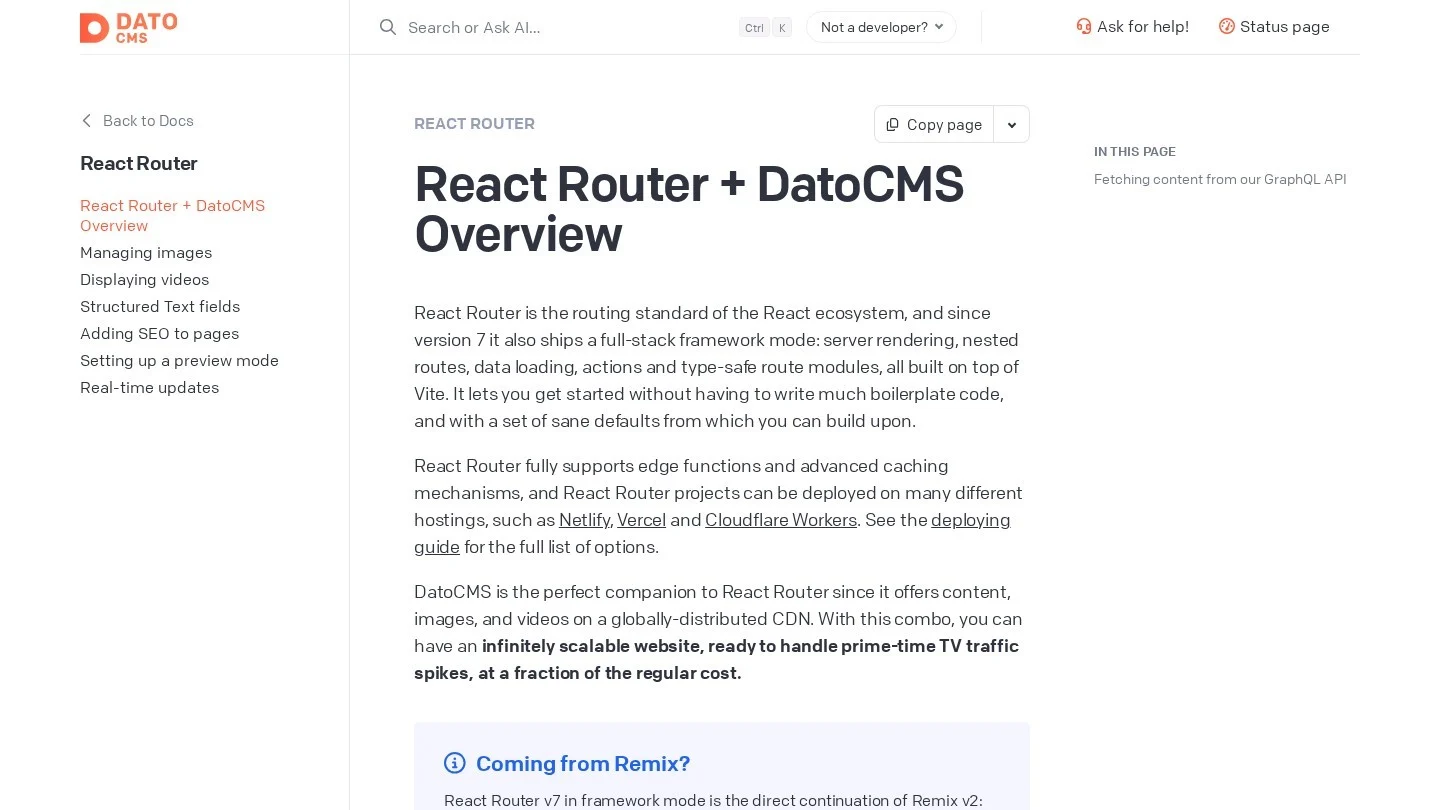
DatoCMS is the most current on the framework side. Its setup guide treats React Router v7 as “the direct continuation of Remix v2” and opens with the create-react-router wizard. Then it wraps @datocms/cda-client in a small helper that reads your API token from environment variables. A route loader calls that helper and passes the data to the component.
The Free plan includes 300 records and 100,000 API calls a month, so it covers little more than a demo. Professional costs €149 a month billed yearly, or €199 monthly, with 10 collaborators and 100,000 records.
3. Storyblok: Block-Based Pages and a Live Visual Editor

Storyblok has a run of Remix tutorials, from a five-minute setup to dynamic menus and global search. The setup needs one package:
npm install @storyblok/reactAfter that, call storyblokInit in app/root with your preview token and apiPlugin. A $slug route loader fetches the draft story, and useStoryblokState makes it update live in the Visual Editor. One detail trips people up: add region “us” when your space sits outside the EU.
However, the tutorial still uses @remix-run imports. So on React Router v7, swap them for react-router as you go. The free Starter plan gives one seat (two at most) and 100,000 API requests. Growth costs $99 a month, or $90.75 a month billed yearly, with five seats.
4. Hygraph: A Remix Starter for Docs Sites

Hygraph is the quick route to a documentation site. Its Remix Docs Starter is built with Remix and Tailwind CSS. It ships rich text, a table of contents, custom embeds, SEO tags, a sitemap and preview mode. You can clone it or deploy it from a Vercel template.
The free Hobby plan has 3 seats, 1,000 content items and 500,000 API calls. Growth costs $199 a month with 10 seats.
5. Contentful: A Listed Remix Starter and a 10-User Free Plan

For teams already on Contentful, the platform works with Remix and offers a Remix starter. Its Free plan has 10 users, 100,000 API calls a month and 50 GB of CDN bandwidth. Those are hard caps, with no paid overages.
The jump to paid is steep, though. Lite costs $300 a month for 20 users and 1 million API calls. So Contentful makes most sense for a company that already uses it for other channels.
6. Strapi: Self-Hosted and Free Under MIT
Strapi is for developers who want to own the server and the database. Its docs cover a REST API and a GraphQL API, and either one works from a loader with plain fetch.
The Community edition is free under the MIT licence, with unlimited users. Growth costs $45 a month with three users, and each extra user adds $15 a month.
7. Builder.io: Drag-and-Drop React Components

Builder.io lets editors drag your own React components onto Remix pages. Setup starts with npm init builder.io@latest, which installs the SDKs and opens a wizard. In code, builder.get() fetches content as JSON and the BuilderComponent renders it.
It ranks last because its Remix setup material does not mention React Router v7, and its plans are built around AI agent credits. The Free plan includes one user, and Pro costs $24 per user a month.
Why Prismic Is Not on the List
Prismic is not on the list because it no longer officially supports “React without Next.js,” which covers Remix and React Router apps. Its first-class integrations are Next.js, Nuxt and SvelteKit.
So a Remix or React Router app on Prismic runs without vendor support. If you already use Prismic, it can still work. For a new build, however, a CMS from the list above gets you official help.
How to Fetch CMS Content in a React Router v7 Loader
To fetch CMS content in React Router v7, call the CMS API inside a route loader and read the result in the component with the loader data. Every CMS in the list plugs in the same way. The sample route uses a placeholder CMS address and follows the React Router loader pattern.
// app/routes/post.tsx
import type { Route } from "./+types/post";

export async function loader({ params }: Route.LoaderArgs) {
  const res = await fetch(`https://cms.example.com/posts/${params.slug}`, {
    headers: { Authorization: `Bearer ${process.env.CMS_TOKEN}` },
  });
  if (!res.ok) throw new Response("Not found", { status: 404 });
  return res.json();
}

export default function Post({ loaderData }: Route.ComponentProps) {
  return <h1>{loaderData.title}</h1>;
}
Next, decide how pages render. React Router’s framework mode supports client rendering, server rendering and static pre-rendering. For a marketing site, list your CMS pages in react-router.config.ts:
import type { Config } from "@react-router/dev/config";

export default {
  async prerender() {
    return ["/", "/about", "/contact"];
  },
} satisfies Config;
Pre-rendering builds static HTML at build time. So a CMS with a low API cap, such as Hygraph’s or DatoCMS’s free plan, gets called during builds instead of on every visit.
Yearly CMS Cost for a Three-Person Remix Team
A three-person Remix team pays $0 a year on four plans, Sanity Free, Hygraph Hobby, Contentful Free and Strapi Community, and up to $3,600 a year on Contentful Lite. Most small Remix sites have one developer and one or two editors, so three seats is a common size. Server costs for Strapi are not included.
| CMS and plan | Why this plan | Working | Yearly cost |
|---|---|---|---|
| Sanity Free | 3 seats fit inside 20 | No fee | $0 |
| Hygraph Hobby | 3 seats fit exactly | No fee, 1,000-item cap | $0 |
| Contentful Free | 3 users fit inside 10 | No fee, hard caps | $0 |
| Strapi Community | Self-hosted, unlimited users | No licence fee | $0 plus your server |
| Strapi Growth | 3 users included | $45 × 12 | $540 |
| Builder.io Pro | Free plan has 1 user | $24 × 3 users × 12 | $864 |
| Storyblok Growth | Starter stops at 2 seats | $90.75 × 12 | $1,089 |
| DatoCMS Professional | Free plan holds 300 records | €149 × 12 | €1,788 |
| Hygraph Growth | Once you pass 1,000 content items | $199 × 12 | $2,388 |
| Contentful Lite | Once you pass the free caps | $300 × 12 | $3,600 |
The free plans, however, hit different walls. Sanity stops at 10,000 documents, Hygraph at 1,000 content items and Contentful at 100,000 API calls. For a paid visual editor, Builder.io Pro costs $864 a year for three users, and Storyblok Growth costs about $1,089.
If you build Remix sites for clients, pass the CMS bill through. Our freelance hourly rate calculator works out what to charge for the build hours on top.
Read also: How to Integrate a Headless CMS With Nuxt
Which CMS to Choose for Your Remix Site
The right CMS for your Remix site depends on how your editors publish: Sanity for structured content, DatoCMS for a fresh React Router v7 build, Storyblok or Builder.io for page building and Strapi when there is no licence budget.
- Structured content and a growing team: pick Sanity. Twenty free seats leave room, and the Remix template saves setup time.
- A fresh React Router v7 project: pick DatoCMS. Its guide matches the current framework from the first command.
- Marketers who assemble landing pages: pick Storyblok or Builder.io. Both let editors arrange components on a layout.
- No licence budget: self-host Strapi Community.
Still, the same choice looks different in other stacks. Our guide to choosing a CMS for React covers plain React apps. See also the best CMS for Astro, options for a Next.js App Router build and headless CMS picks for SvelteKit. Curious what a rival’s site runs on? Learn how to find out what CMS a website uses.
Remix CMS FAQs
Is Remix Still Maintained?
Yes, Remix is still maintained, because Remix v2 lives on as React Router v7. The Remix team recommends React Router v7 for new projects and an upgrade for existing Remix apps. Separately, it has announced Remix 3 as a new framework that does not depend on React.
Which Remix CMS Costs Nothing to Start?
Sanity costs nothing to start, and its Free plan is the most generous hosted option, with 20 seats and 10,000 documents. For a self-hosted route, Strapi Community is free under the MIT licence.
Can Editors Change Remix Pages Visually?
Yes, editors can change Remix pages visually in Sanity and Storyblok. Sanity uses Visual Editing overlays in its Presentation tool. Storyblok uses useStoryblokState and storyblokEditable inside its Visual Editor.